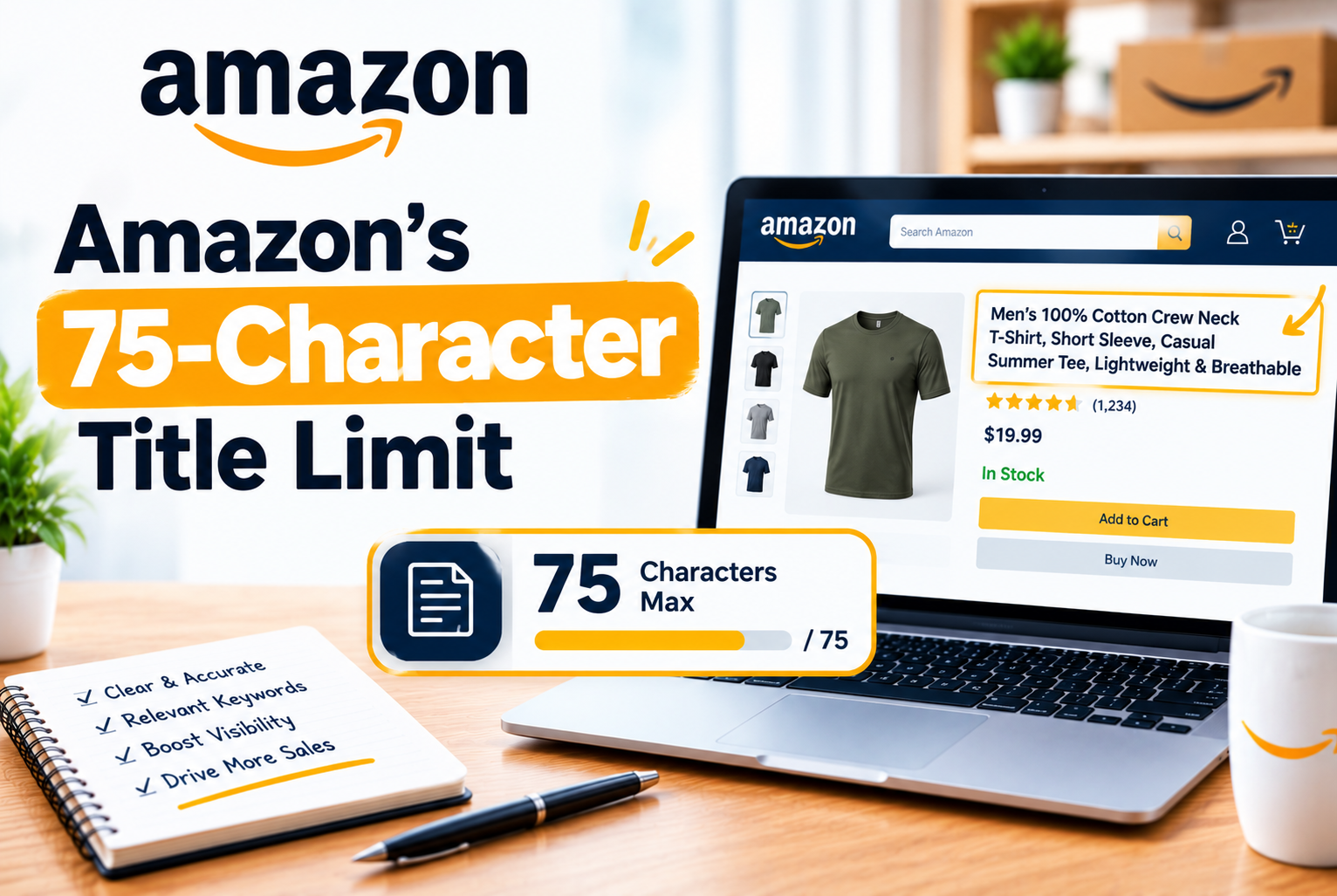
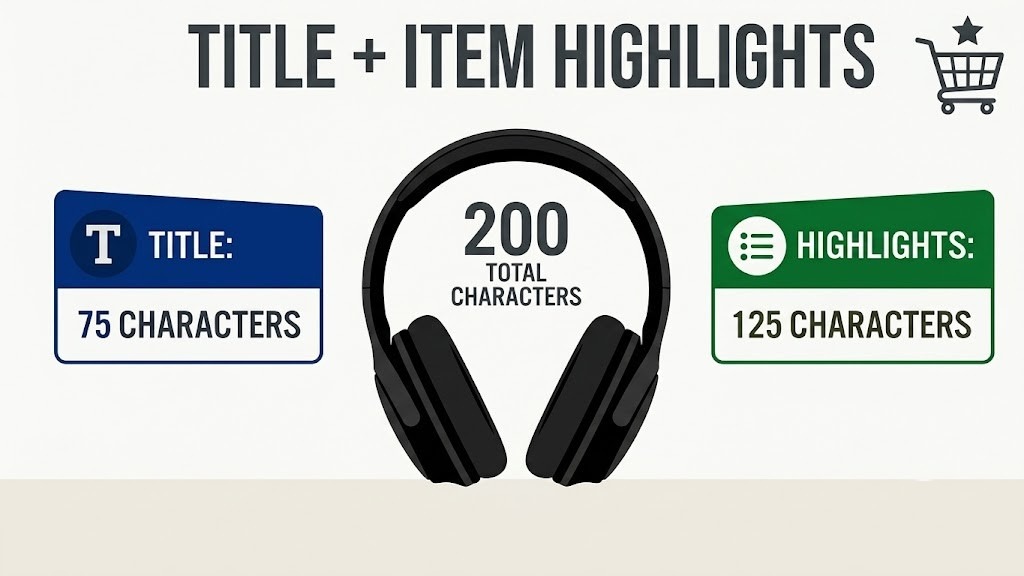
Starting July 27, 2026, Amazon is enforcing a 75-character maximum on product titles in every category except media. At the same time, it is introducing Item Highlights, a new 125-character searchable field designed to carry the supporting information that no longer fits in the title.
Titles that exceed the limit will not be immediately suppressed. Instead, Amazon will gradually replace them with AI-generated alternatives. Listings stay active during the transition, but sellers who do not act first may lose control over which keywords, product details, and brand messages remain visible. Brand owners get a 14-day review window before proposed changes go live. For everyone else, the safest strategy is straightforward: rewrite your titles before Amazon does.
Table of Contents
- What Is Changing and When
- What Item Highlights Is and How It Works
- What the Title Should Do in 75 Characters
- How to Decide Which Keywords Stay
- How to Write Item Highlights Properly
- Title Formulas by Category
- How to Update Your Catalog Before the Deadline
- How to Handle Variations and Multipacks
- Protecting SEO After the Change
- Common Mistakes to Avoid
What Is Changing and When
Effective July 27, 2026, the following changes apply to all product listings on Amazon except media categories:
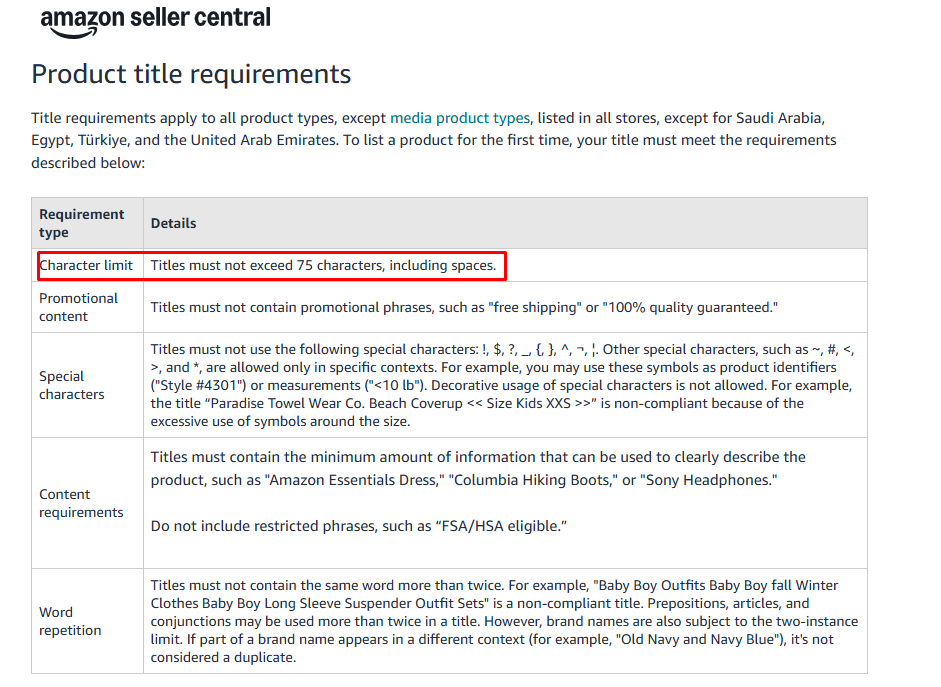
- Product titles: maximum 75 characters including spaces, letters, numbers, punctuation, brand names, measurements, and model numbers
- Item Highlights: a new separate field, up to 125 characters, searchable, visible in search results and on detail pages
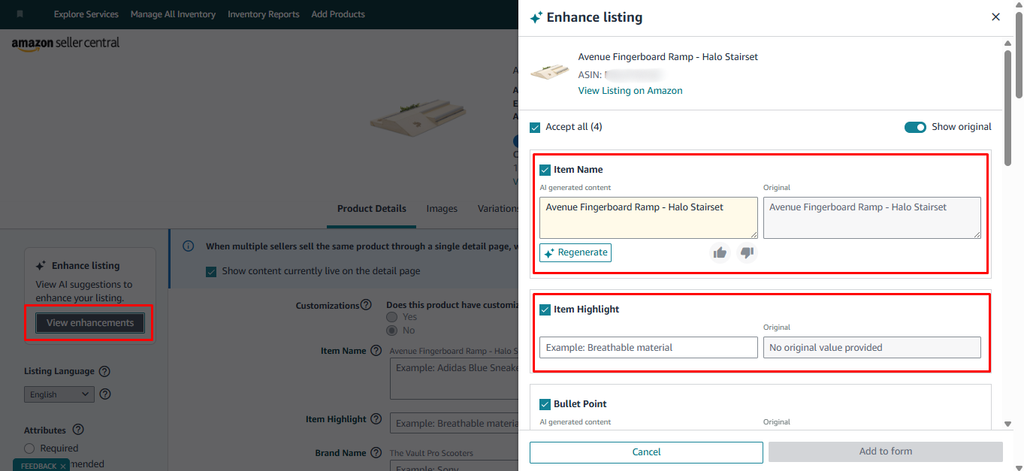
- AI recommendations: Amazon will suggest compliant titles and Item Highlights accessible through Manage All Inventory > Edit > View Enhancements
- Noncompliant titles: listings remain active but Amazon will gradually replace over-limit titles with AI-generated versions
- Brand owner review period: 14 days to review, modify, or approve AI-proposed changes before they go live
What Item Highlights Is and How It Works
Item Highlights is not a replacement for your bullet points. It is a new, separate field that sits alongside the title in search results and on the product detail page. Amazon has confirmed it is searchable, which means keywords moved out of the title into Item Highlights may still be indexed, although Amazon has not clarified whether they carry the same ranking weight as title keywords.
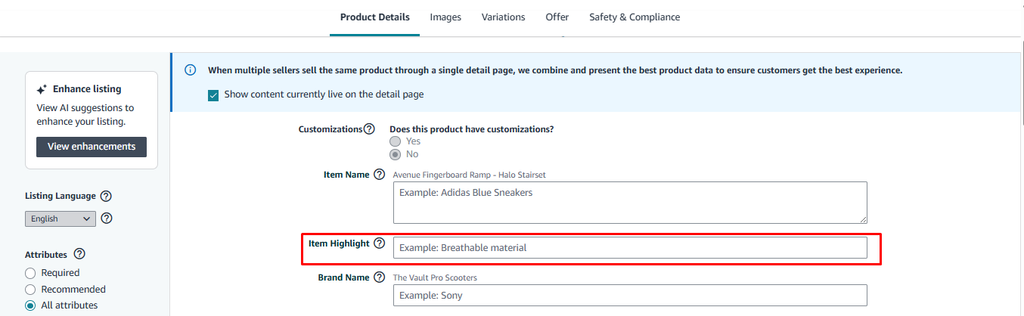
Use Item Highlights for information that supports but does not repeat the title:
- Materials and construction details
- Recommended uses and use cases
- Compatibility with specific devices or models
- Age range or intended audience
- Included accessories or components
- Secondary features and benefits
What the Title Should Do in 75 Characters
The title is becoming a product identification field, not a keyword collection. Amazon’s stated intent is that the title answers one question immediately: what is this product?
Item Highlights answers the next questions: what is it made from, who is it for, what does it include, how is it used.
A strong 75-character title retains:
- Brand name
- Exact product type using the term customers actually search
- Primary converting keyword
- One or two key differentiators such as size, color, material, or quantity
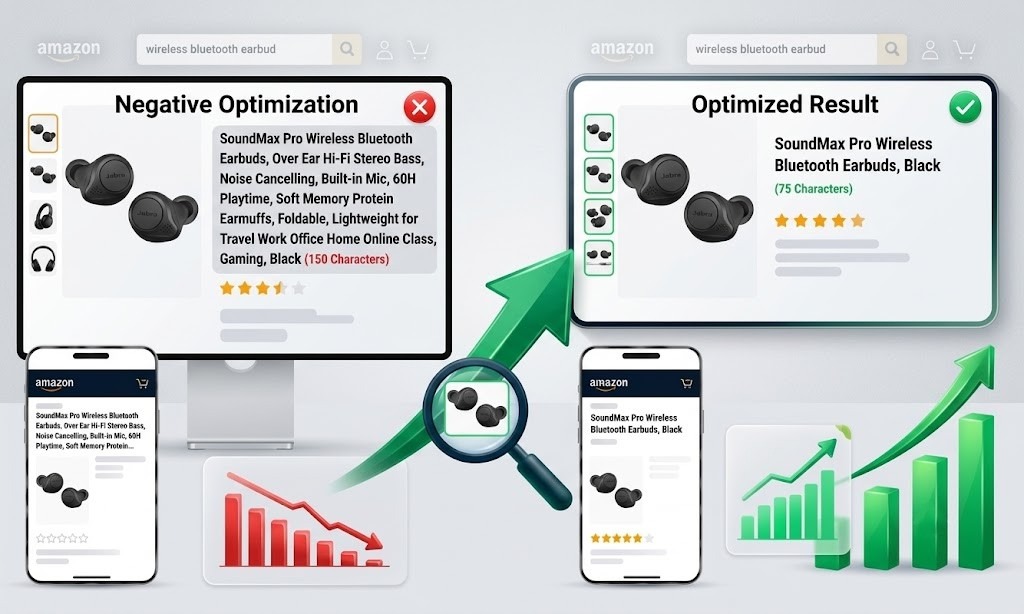
Example of a title that needs rewriting:
| Before: Kosy Koala Live Edge Wooden Dining Table with Hidden Storage – 42″ Durable Open Shelf Kitchen Table – Modern Wooden Kitchen & Dining Furniture, Walnut (147 characters) After: Kosy Koala 42″ Live Edge Wooden Dining Table with Hidden Storage, Walnut (75 Character) |
The revised title identifies the product immediately. The material finish, key feature, and size are retained. The marketing copy is removed.
How to Decide Which Keywords Stay
Character limits force a decision that many sellers have been avoiding: which keywords actually drive sales versus which ones are filling space. Evaluate each candidate term against four questions:
- Relevance: Does this phrase accurately describe the exact product?
- Conversion: Has this phrase generated sales or qualified traffic in your advertising data?
- Customer necessity: Does the shopper need this information before clicking?
- Differentiation: Does this phrase explain why your offer is distinct?
Priority A: Keep in the title
- Exact product type
- Primary converting keyword with the strongest sales history
- Essential compatibility term if the product only works with specific devices or models
- Required size, quantity, or model number
- Main differentiator that separates your product from generic alternatives
Priority B: Move to Item Highlights
- Secondary material or construction detail
- Use-case phrase or recommended setting
- Supporting feature or benefit
- Secondary audience or compatibility
Priority C: Move to bullets, attributes, or backend terms
- Repeated synonyms and near-duplicate phrases
- Generic lifestyle language that does not describe the product specifically
- Low-converting modifiers and empty adjectives
- Promotional language of any kind
How to Write Item Highlights Properly
Item Highlights should expand what the title established, not repeat it. Write it as a compact phrase or short sentence that adds genuinely new information.
Weak Item Highlight
Vitamin C serum face serum skincare serum fragrance-free serum 1 fl oz
This repeats the title and reads like a keyword list. It wastes the field.
Strong Item Highlight
Lightweight formula with hyaluronic acid for dull or uneven skin
This adds ingredient detail, product texture, and specific customer relevance that the title cannot carry in 75 characters.
Guidelines for writing Item Highlights:
- Do not repeat the product name, brand, or exact title phrasing
- Write in natural, scannable language, not keyword strings
- Avoid promotional claims: no best, clinically proven, guaranteed, number one, eco-friendly without verification
- Stay within 125 characters including spaces
- Make one or two clear points rather than cramming in multiple facts
Title Formulas by Category
Different categories prioritize different information. These formulas reflect what shoppers in each category typically need to see to click:
- Furniture: Brand + Furniture Type + Main Feature + Finish + Size
- Beauty: Brand + Product Type + Main Ingredient + Product Form + Quantity
- Electronics: Brand + Product Type + Main Function + Compatibility or Specification
- Pet Products: Brand + Product Type + Main Feature + Size + Color
- Apparel: Brand + Audience + Product Type + Main Feature + Color or Size
- Supplements: Brand + Product Type + Main Ingredient + Count + Form
Not every element is needed for every product. For an electronics accessory, compatibility may be more important than color. For a multipack, quantity is non-negotiable. Use only what the customer genuinely needs to decide whether to click.
How to Update Your Catalog Before the Deadline
- Export your catalog and use =LEN(A2) in a spreadsheet to calculate each title’s character count.
- Sort by priority, not alphabetically. Start with your highest-revenue ASINs, listings with strong organic rankings, and products approaching peak season demand.
- Identify what is non-negotiable for each priority ASIN: the product type, the primary keyword, and any compatibility or quantity detail customers must see before clicking.
- Rewrite the title using the formula appropriate to your category.
- Draft the Item Highlight separately after approving the title so the two fields do not repeat each other.
- Compare with Amazon’s AI suggestion by going to Manage All Inventory > Edit > View Enhancements. Use the suggestion as a starting point but verify it against your keyword performance data before accepting.
- Publish in batches, not all at once. Verify the first group is live and performing correctly before updating the next.
- Verify on the live product page after each batch. Check both desktop and mobile. Confirm child variations are correct. Review change history.
How to Handle Variations and Multipacks
A title that works for one child ASIN may become inaccurate or confusing for another. Review parent and child titles separately and check that variation-specific information, such as size, color, quantity, or model, is still correct and visible after the rewrite.
After updating a variation family:
- Open several child ASINs and switch between variations
- Confirm the displayed title is correct for each child
- Check whether Amazon is automatically appending variation values that may push the title over 75 characters
- Inspect both mobile and desktop presentation
- Verify that the correct Item Highlight appears for each variation
For multipacks and bundles, do not remove pack count or quantity information to make room for another search term. A title that attracts a click but creates confusion about what the customer receives increases returns, questions, and negative reviews.
Protecting SEO After the Change
A title change raises two separate SEO questions. First, is the ASIN still searchable for the keyword? Second, does it still rank as well for that keyword? These are not the same thing.
Amazon confirms Item Highlights is searchable but has not confirmed whether it carries the same ranking influence as the title. Measure the result rather than assuming a keyword retains its value after moving from title to Item Highlights.
Before updating any priority listing:
- Record your organic keyword positions, sessions, conversion rate, and advertising performance as a baseline
- Create a keyword watchlist noting where each priority term will live after the rewrite
- Monitor for 4 to 6 weeks after the change before drawing conclusions
- Avoid changing title, main image, price, bullets, and A+ Content simultaneously. When too many variables change at once, isolating the cause of any performance shift becomes impossible.
Common Mistakes to Avoid
- Treating 75 characters as a target. Use as many characters as necessary to clearly identify the product. A clear 55-character title is better than an awkward 75-character title padded with low-value words.
- Removing the primary keyword first. The product type and main converting keyword must survive the rewrite. Cut secondary modifiers and lifestyle phrases before touching high-performing terms.
- Copying the title into Item Highlights. The two fields should perform different jobs. Repetition wastes the Item Highlights field and adds no value for the customer.
- Accepting AI changes without review. Amazon’s AI does not have access to your conversion data, keyword strategy, or seasonal plans. Check every AI suggestion against your own performance records before applying it to high-value ASINs.
- Updating the entire catalog at once. Publish in batches. Verify results from the first batch before proceeding to the next.
- Not checking the live product page. A successful save in Seller Central does not guarantee the live page reflects the change. Check the actual customer-facing listing on both desktop and mobile after every update.