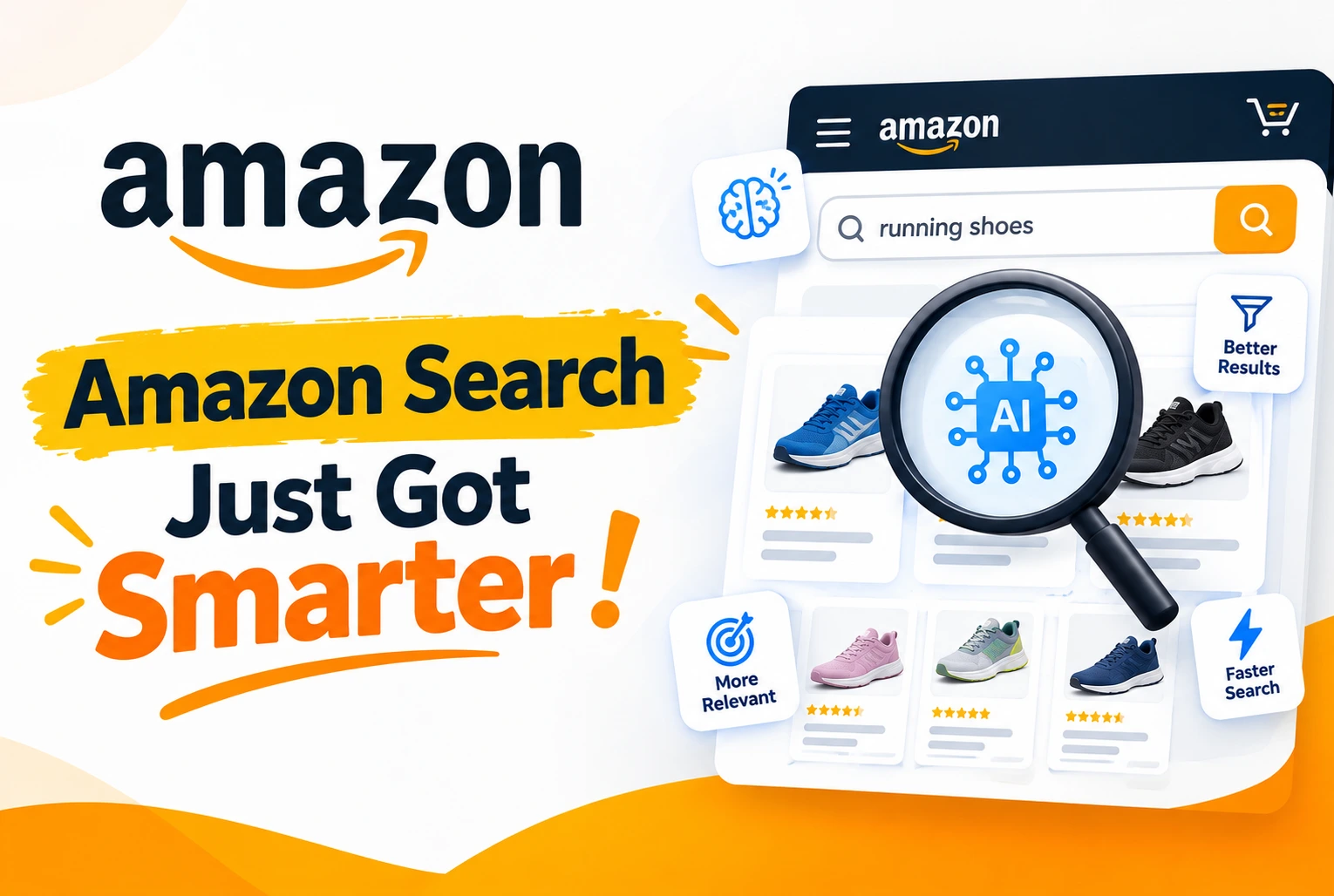
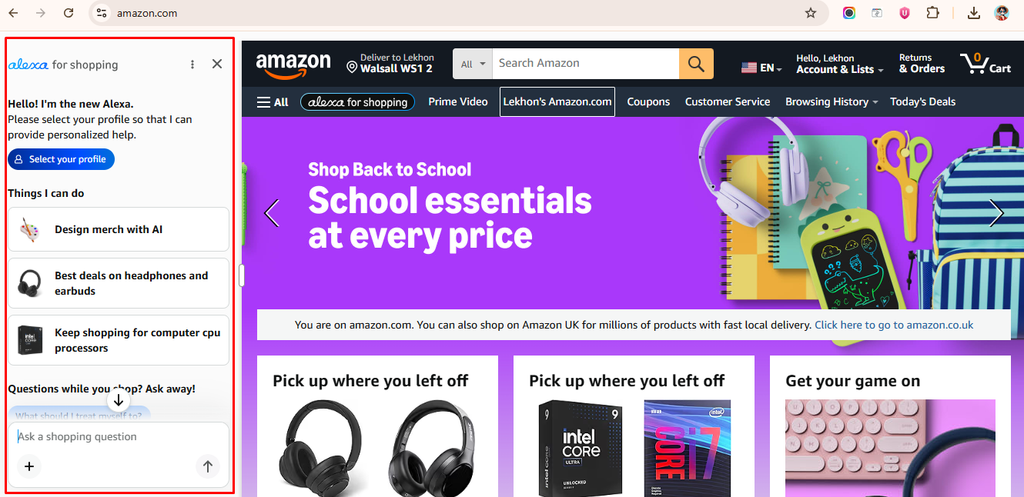
On May 13, 2026, Amazon replaced Rufus with Alexa for Shopping. The name change is significant, but the underlying shift is bigger than branding. Alexa for Shopping combines Rufus’s product research capabilities with Alexa’s cross-device memory and personalization, creating an AI assistant that can research, remember, recommend, and complete purchases across an entire shopping journey.
For Amazon sellers, this changes what a well-optimized listing needs to do. It is no longer enough to rank for a keyword. Your listing needs to give Amazon’s AI enough structured, specific information to explain your product accurately, compare it fairly against alternatives, and recommend it confidently to the right customer at the right moment.
Table of Contents
- What Alexa for Shopping Actually Is
- What Shoppers Can Now Do That They Could Not Before
- How This Changes Listing Optimization
- How Advertising Works in the Alexa Era
- What Sellers Should Do Now
- Common Questions
What Alexa for Shopping Actually Is
Alexa for Shopping is available to signed-in US customers on Amazon.com, the Amazon Shopping app, and compatible Echo Show devices. No Prime membership or Echo device is required to use it on the website or app.
It goes beyond what Rufus could do. Rufus was primarily a research assistant that helped customers ask questions and compare products. Alexa for Shopping adds:
- Personalized recommendations based on shopping history, preferences, and past conversations
- Cross-device memory so a conversation started on an Echo device can continue inside the app
- Price monitoring with the ability to complete a purchase automatically when a price drops to a customer-specified amount
- Scheduled Actions that let customers set up one-time or recurring shopping tasks
- Cart rebuilding and reordering from previous purchases
- Buy for Me, which completes eligible purchases from external retailers using the customer’s Amazon payment details
What Shoppers Can Now Do That They Could Not Before
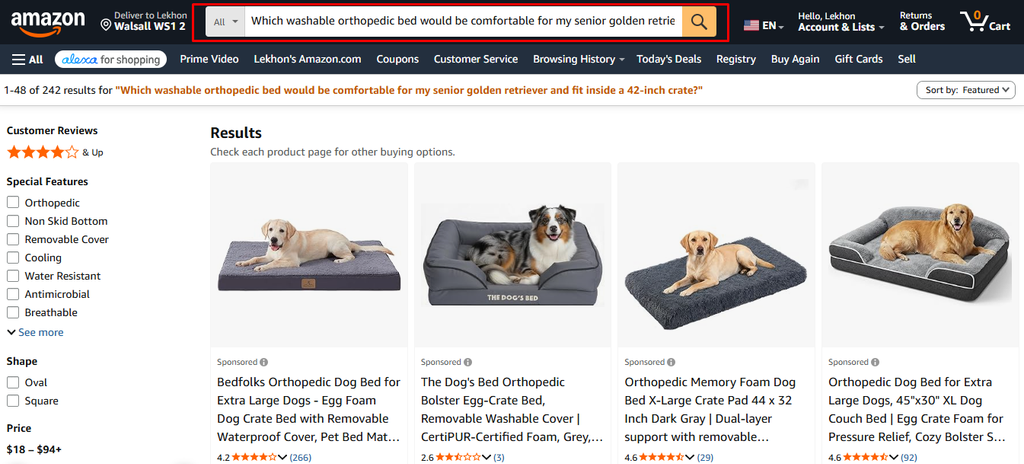
Ask full questions in the search bar
Customers can now type complete questions directly into Amazon’s main search bar. Instead of searching “large washable dog bed,” a customer might ask: “Which washable orthopedic bed would be comfortable for my senior golden retriever and fit inside a 42-inch crate?”
That question contains a product type, pet breed and life stage, cleaning requirement, comfort specification, and exact size constraint. Alexa must understand all of those before deciding which products are most relevant.
See AI overviews above search results
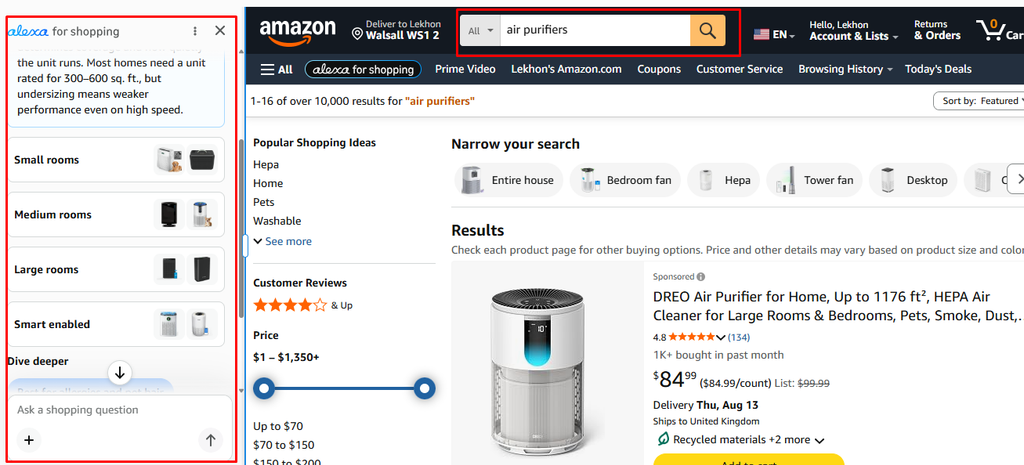
Alexa can display AI-generated overviews above search results and on eligible product pages that explain what a category is, which features to evaluate, and how options compare. A shopper searching for an air purifier may first see information about room coverage, filtration types, noise levels, and filter replacement costs before seeing any products. This shapes what customers expect before they even click a listing.
The practical question for sellers: does your listing clearly address the features Alexa is teaching customers to evaluate?
Compare products without clicking through each one
Customers can select products from search results and ask Alexa to compare them. Alexa pulls together features, specifications, prices, ratings, and review themes. Vague claims like “premium quality” or “superior performance” give Alexa nothing useful to compare. Specific facts do: this bottle holds 32 ounces; this charger works with iPhone 15 and later; this cover fits mattresses up to 14 inches deep.
Monitor prices and buy on a target price
Customers can ask Alexa to watch a product and notify them when it hits a target price. For eligible products, they can instruct Alexa to purchase automatically. This creates a longer purchase journey where a customer discovers a product today and buys it weeks later without returning to search.
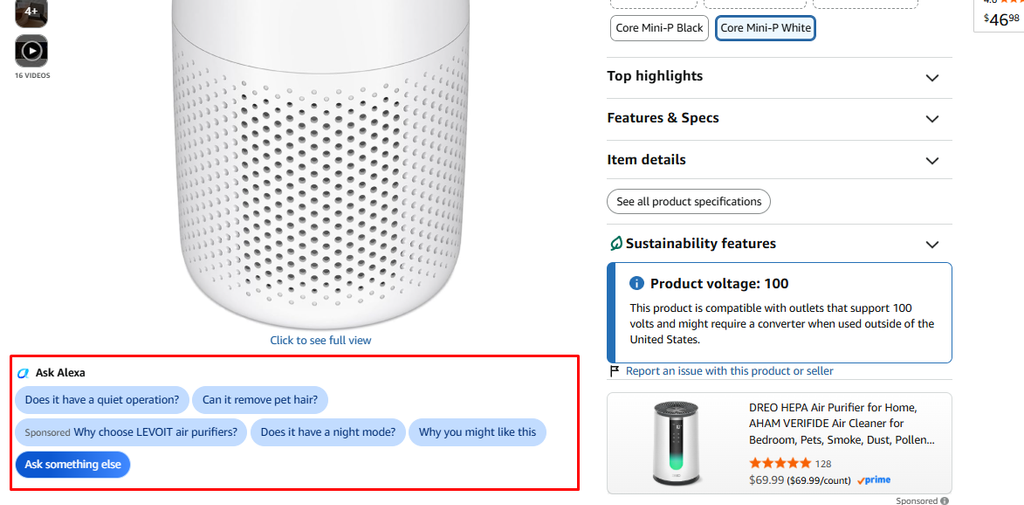
The “Ask Alexa” Widget on Product Pages
A new “Ask Alexa” widget now appears directly on product detail pages, showing pre-suggested questions shoppers can tap without typing anything. Questions like “Does it have a quiet operation?” or “Can it remove pet hair?” reflect what real customers commonly ask before buying in that category.
One button is labeled Sponsored, meaning brands can pay to have their own question featured in the widget. This turns an ad impression into a product-specific conversation rather than just a click to a listing.
For sellers, both points matter. If your listing does not clearly answer the questions Alexa surfaces, Alexa cannot give a confident response. And Sponsored Prompts give brands a direct way to shape what shoppers ask about their product at the exact moment they are evaluating it.
Set recurring shopping instructions
Scheduled Actions let customers ask Alexa to suggest birthday gifts two weeks before a date, add cleaning products to the cart at regular intervals, or notify them when a new book releases. This makes repeat-purchase products and consumables particularly valuable to optimize, since a stockout at the wrong moment can cost multiple future orders, not just one.
How This Changes Listing Optimization
Alexa does not replace the fundamentals of Amazon optimization. Keywords, pricing, images, reviews, and availability still matter. What changes is that your listing now needs to give Amazon’s AI enough structured information to explain and recommend your product in a conversational context.
Product attributes carry more weight
Attributes tell Amazon exactly what an item is. Missing attributes leave customer questions unanswered. If Alexa is comparing three travel bags and one listing has no capacity listed, that product is harder for Alexa to evaluate. Fill in every relevant attribute for your category, not just the required ones: material, dimensions, capacity, size, color, compatibility, age range, power source, package quantity, included components. Every missing field is a gap in what Alexa can say about your product.
Bullet points should explain, not repeat
A strong bullet begins with a feature and explains what it means for the customer. Compare:
| Weak: PREMIUM DOG BED: Best dog bed for dogs, large dog bed, comfortable pet bed.Strong: REMOVABLE WASHABLE COVER: The zippered outer cover removes and machine washes, helping pet owners manage hair, dirt, and everyday odours. |
The strong version gives Alexa a feature, mechanism, use case, and customer benefit. The weak version gives it repetition that adds no information.
A+ Content should work like a buying guide
Use A+ to answer questions that do not fit naturally in the title or bullets: exact dimensions, compatibility details, differences between product variants, installation steps, materials, included components, recommended users and situations. Amazon has not confirmed a specific A+ ranking advantage with Alexa, but the content adds information Alexa can use when explaining or comparing your product.
Images must communicate key details
A customer may first encounter your product through an Alexa recommendation and then visit the listing for confirmation. Images should show product scale, exact measurements, key features, included accessories, compatibility, realistic use cases, and materials. Avoid tiny text, unsupported claims, or decorative graphics that do not help the purchase decision.
Review themes now matter more than ever
Alexa uses customer reviews and Q&A when helping shoppers research products. When reviews repeatedly mention that an item runs small, improve the sizing information. When customers misunderstand what is included, add a clear package-content image. When reviews praise an unexpected use case that is accurate and permitted, consider adding it to the listing. The goal is not to manage reviews. It is to use real customer feedback to improve the listing.
How Advertising Works in the Alexa Era
Existing Sponsored Products and Sponsored Brands campaigns can appear during relevant Alexa for Shopping conversations. Amazon has also introduced Sponsored Products Prompts and Sponsored Brands Prompts, which became generally available in the US on March 25, 2026.
Prompts allow shoppers to ask questions and receive AI-powered answers about products and brands directly within an ad interaction. A customer might click an ad and then ask: will this fit my device? Is it suitable for sensitive skin? How long does one package last?
The quality of Alexa’s answers depends on the quality of the information in the listing. Sellers should ensure listings contain accurate compatibility details, complete attributes, and clear product explanations, since an ad can now trigger a product-specific conversation that the listing must be able to support.
| Clicks through Sponsored Prompts follow the existing cost-per-click model.Monitor ACoS, TACoS, click-through rate, conversion rate, and new-to-brand sales as usual, but be aware that advertising performance is influenced by listing quality, pricing, reviews, and inventory just as much as bids and targeting. |
What Sellers Should Do Now
Start with your most valuable ASINs
Review every relevant attribute for your top-revenue and highest-growth products. Confirm dimensions, materials, quantities, compatibility, and package contents are accurate and complete. Check that the title, bullets, images, and A+ Content all communicate the same information consistently. A customer should not see one measurement in the bullets and a different measurement in the image gallery.
Replace vague claims with specific facts
- Instead of “made with premium materials,” say “stainless-steel interior designed to resist staining and odours.”
- Instead of “perfect for travel,” say “the folding design measures 12 inches when closed and fits most standard carry-on bags.”
- Instead of “suitable for all skin types,” say “fragrance-free, tested for sensitive skin, and dermatologist approved.”
Specific details help customers make decisions. They also give Alexa clear, citable information to use when recommending your product.
Build content around real customer questions
Review your customer support messages, product reviews, return reasons, community Q&A, and advertising search terms. Identify concerns that come up repeatedly and address them clearly in the listing. A listing that answers the questions customers are actually asking will perform better in both traditional search and AI-assisted discovery.
Make your product easier to compare
Open your closest competitors’ listings and ask: can customers clearly understand why your product is different? Do you provide exact specifications? Does the listing explain which type of customer or situation it is best suited for? Are important limitations stated clearly? Alexa compares products quickly, and your listing should ensure that comparison is based on complete facts.
Strengthen the repeat purchase experience
For consumable and replenishable products, review Subscribe and Save eligibility, available pack sizes, and how clearly the listing communicates typical usage periods and reorder timing. Pet supplies, household essentials, cleaning products, personal care items, and pantry goods are particularly well-suited to Alexa’s recurring shopping features.
Test your own listings through Alexa
Use Alexa for Shopping the way a real customer would. Ask broad category questions, product comparison questions, compatibility questions, and use-case questions. Review the responses. Is the information accurate? Does Alexa understand your product’s strongest benefit? Is important information missing? Does your product appear generic when compared to alternatives? Use the responses as a listing audit tool.
Common Questions
When did Alexa for Shopping replace Rufus? Amazon made the switch on May 13, 2026.
Do customers need Prime? No. Signed-in US customers can use Alexa for Shopping on Amazon.com and the Amazon Shopping app without Prime or an Echo device.
Can Sponsored Products appear in Alexa conversations? Yes. Existing campaigns may appear through Sponsored Prompts, which became generally available in the US on March 25, 2026.
Does Alexa use customer reviews? Yes. Amazon says Alexa for Shopping draws on customer reviews and community Q&A when helping shoppers research and compare products.
Does Alexa use A+ Content? Amazon has not confirmed a specific A+ ranking impact, but A+ Content provides information Alexa can use when explaining product differences and educating customers.
Are keywords still important? Yes. Keywords remain essential. The difference is that structured attributes, specific facts, and clear use-case language are now equally important for how Alexa understands and explains a product.