A suppressed listing is one of the most damaging things that can happen to an Amazon seller. Your inventory is ready, your ads may still be running, but the listing is invisible to every shopper searching for your product. Revenue stops. BSR starts decaying after 48 hours of zero sessions. And Amazon does not send you a notification when it happens.
The most common mistake sellers make when they discover a suppression is opening the listing and changing multiple fields at once, hoping one of them is the problem. If the listing recovers, they do not know what fixed it. If it does not, they have created new variations for Amazon’s system to flag. The fix depends on what type of suppression you are dealing with and which specific field Amazon has flagged. This guide covers all of it.
Table of Contents
- Suppressed vs Stranded vs Blocked: Understanding the Difference
- How to Find Suppressed Listings in Seller Central
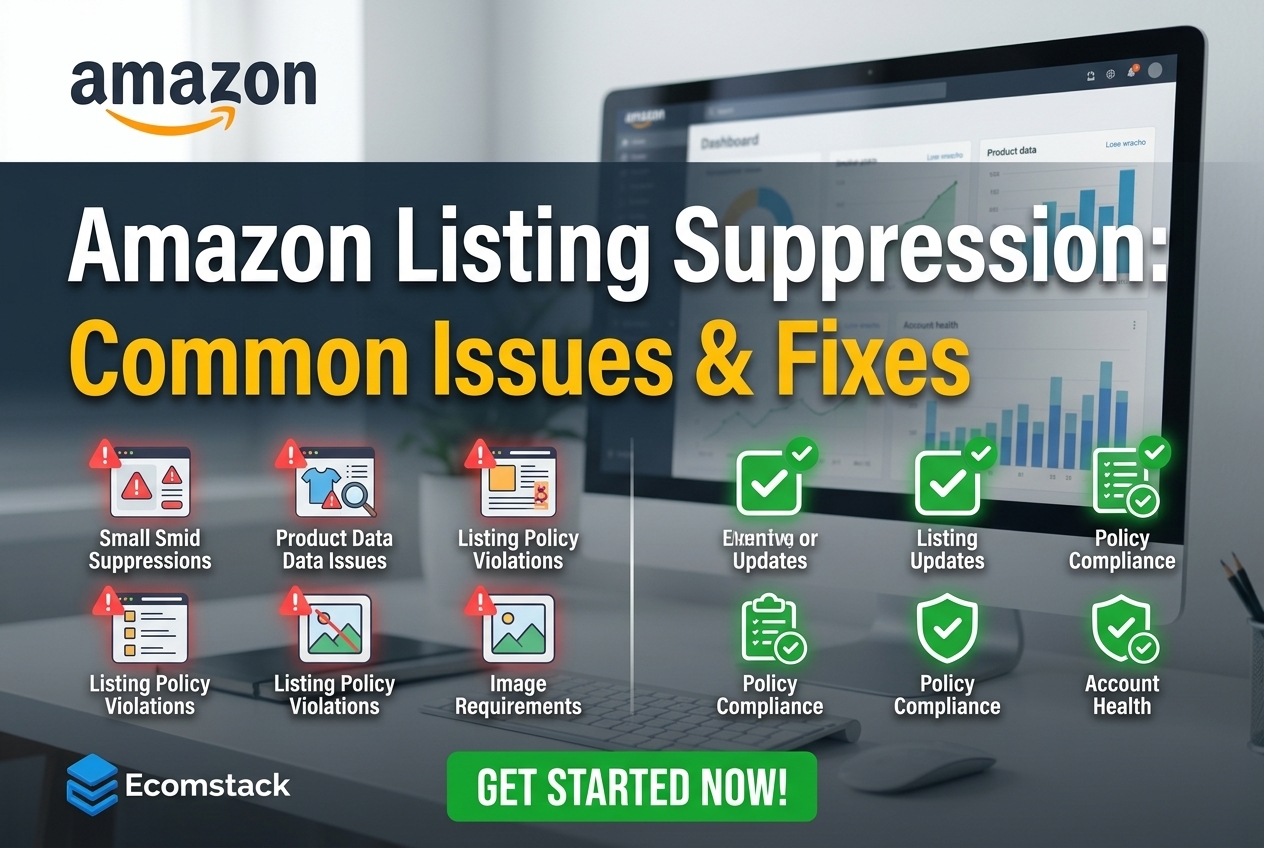
- The Most Common Suppression Reasons
- Step-by-Step: How to Fix a Suppressed Listing
- Image Suppression: The Fastest to Fix
- Title and Text Violations
- Missing Required Attributes
- Pricing Anomalies
- Compliance and Safety Suppression
- Stranded Inventory: A Different Problem
- When the Standard Fix Does Not Work
- How Suppression Affects Ranking After It Is Fixed
- How to Prevent Suppression Going Forward
Suppressed vs Stranded vs Blocked: Understanding the Difference
These three terms describe different problems and each requires a different fix. Using the wrong approach wastes time and can make things worse.
- Suppressed: The listing exists and has an active ASIN, but Amazon has removed it from search results because of a content or compliance issue. The listing is technically active in your inventory but invisible to shoppers. This is the most common situation sellers mean when they say their listing is suppressed.
- Stranded: You have FBA inventory sitting in Amazon’s warehouse but it is not connected to any active listing. This happens when a listing is deleted, the ASIN is suppressed, or a required attribute is missing that breaks the parent-child relationship. Stranded inventory is its own problem with its own fix path inside Seller Central.
- Blocked (Yanked): Amazon has removed the listing entirely, usually for serious policy violations, intellectual property claims, or account health issues. This is more severe than suppression and typically requires a Plan of Action (POA) to reinstate.
| Most sellers searching for help with a suppressed listing are dealing with search suppression, not a full block.Stranded and blocked listings need completely different workflows. Confirm which type you have before taking any action. |
How to Find Suppressed Listings in Seller Central
Amazon does not send email notifications when a listing is suppressed. You will not know unless you check actively or notice a sales drop. This is why the gap between suppression and discovery is where most of the revenue damage happens.
- Go to Inventory > Manage All Inventory in Seller Central.
- Click the Activate listings > Suppressed tab at the top of the inventory table. This shows every suppressed ASIN with a reason code next to each one.
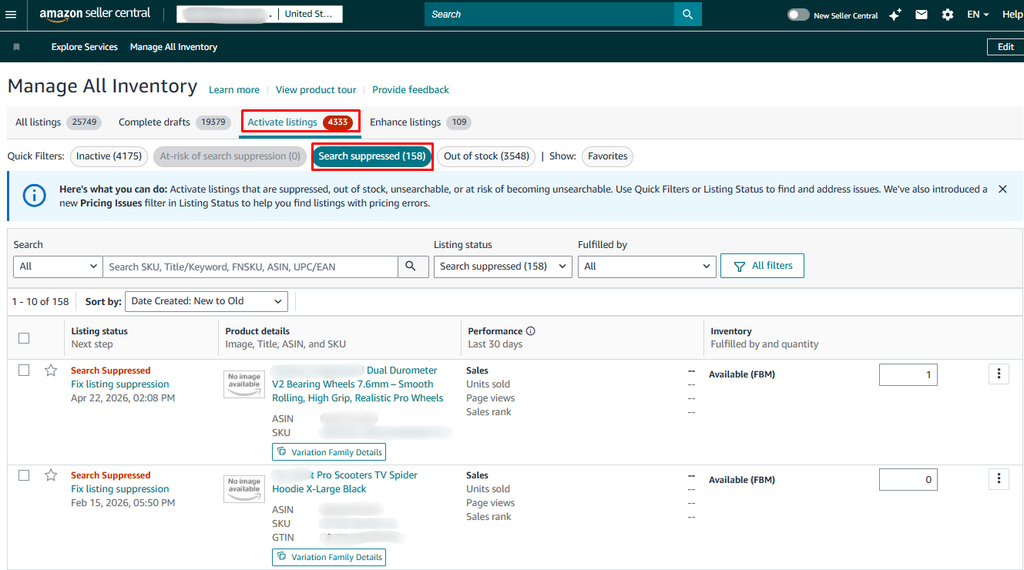
- If you have a large catalog, click Download Suppressed Listings Report to get a spreadsheet showing every suppressed ASIN and its suppression reason in one view.
- Click into any suppressed listing and open the Edit Listing view. The field-level error shown here is more specific than the summary in the Suppressed tab. Always check this before making changes.
| Amazon periodically updates category requirements and retroactively flags listings that no longer comply.A listing that has been live for years can become suppressed overnight if Amazon runs an automated sweep against new rule sets. Check the Suppressed tab at least weekly. |
The Most Common Suppression Reasons
Suppression almost always maps to one of five issue types. Knowing which one you are dealing with determines your fix path.
- Image violations: Still the top suppression trigger by a wide margin. Amazon’s 2026 image enforcement is more aggressive than previous years.
- Title or text violations: Banned terms and promotional language in the title, bullets, or description.
- Missing required attributes: Amazon periodically adds new required fields to categories. A listing that was complete last month may now be missing a field Amazon added since then.
- Pricing anomalies: Amazon flags offers priced significantly higher or lower than the catalog reference price, which is separate from your repricer’s minimum or maximum rules.
- Compliance and safety gaps: Missing certifications, hazmat classifications, or safety documentation, especially for electronics, health products, or items containing batteries or liquids.
Step-by-Step: How to Fix a Suppressed Listing
- Find the suppressed listing using the Suppressed tab in Manage All Inventory.
- Read the reason code carefully. Open the Edit Listing view to see the specific field-level error.
- Fix only what Amazon has flagged. Do not change multiple fields at once. If you change three things and the listing recovers, you do not know which fix worked. If it does not recover, you have introduced new variables.
- Save your changes.
- Wait 24 to 48 hours for Amazon to re-evaluate. Image fixes typically propagate in 4 to 6 hours. Compliance-related suppression requiring human review can take 1 to 2 weeks.
- If the listing is still suppressed after 48 hours, open a Seller Support case rather than making more edits.

Image Suppression: The Fastest to Fix
Image violations are the most common suppression reason and also the fastest to resolve, usually within 4 to 6 hours of uploading a compliant image.
Amazon’s main image requirements:
- Pure white background, RGB 255, 255, 255. Any off-white, light gray, or gradient background will be flagged.
- Product must fill at least 85% of the image frame.
- No text overlays, watermarks, logos, borders, or promotional graphics on the main image.
- Minimum 500px on the longest side. At least 1600px recommended to enable zoom.
For additional images, text overlays and infographic-style graphics are permitted, but lifestyle photos with models or props on the main image are not. The fastest way to confirm a background is truly white is to check the RGB value in your image editing software rather than eyeballing it on screen.
Title and Text Violations
Amazon’s title guidelines ban a broader set of terms than many sellers expect. Some of these have been added recently through automated sweeps that retroactively flag older listings. Banned content includes:
- Promotional language: Best Seller, Free Shipping, 100% Guaranteed, #1 Product, Limited Time Offer
- All caps words or excessive capitalization
- Special characters used decoratively: !, $, *, ~
- Claims implying third-party endorsement or certification you cannot verify
- Medical or health claims that exceed what your product is registered to claim
In your description and bullets, keyword stuffing is also an active suppression trigger in 2026. Amazon’s system now flags unnatural keyword density, not just prohibited terms. If your bullet points read more like a keyword list than product information, that may be causing the suppression even if no single term is on a banned list.
Missing Required Attributes
Amazon periodically adds new required attributes to product categories without notifying existing sellers. A listing that passed all checks when it was created can become suppressed months later when a new required field is added to its category.
If the suppression reason mentions incomplete information, go directly to the Edit Listing view and check which fields are highlighted as missing. Common newly-required attributes include material type, age group, color, target audience, and safety certification status. Fill in exactly what Amazon is asking for using the dropdown values Amazon provides where available, since custom values may not index correctly.
Pricing Anomalies
Amazon suppresses listings when the price looks anomalous compared to the catalog reference price or historical pricing for that ASIN. This is different from violating a minimum or maximum price rule in your repricer. It is Amazon’s own pricing health check flagging an offer that looks like an error.
To identify pricing-related suppression, go to the Pricing Health tool in Seller Central and click Inactive Offers. If your listing appears there, adjust your price to fall within a normal range for your category and ASIN history. A sudden large price increase, for example to protect Buy Box share from a competitor, is a common trigger for this type of suppression.
Compliance and Safety Suppression
Compliance-related suppression is the most time-consuming type to resolve because it requires human review rather than an automated algorithm pass. Recovery takes 1 to 2 weeks in most cases.
This type of suppression is triggered by:
- Products containing batteries or liquids that Amazon’s system has flagged as potential hazmat without receiving required safety documentation
- Category-restricted products where your account does not have the required approval or certification on file
- Products where a customer complaint about receiving a used, damaged, or misrepresented item has triggered a trust-based suppression, which requires a Plan of Action addressing your quality control processes
For hazmat or safety-related suppression, submit the required documentation through the Dangerous Goods review process in Seller Central. For trust-based suppression from customer complaints, the fix involves addressing the root cause in the supply chain or fulfillment process, not just the listing content.
Stranded Inventory: A Different Problem
Stranded inventory is FBA stock in Amazon’s warehouse that has no active listing attached. It accumulates storage fees but cannot be sold.
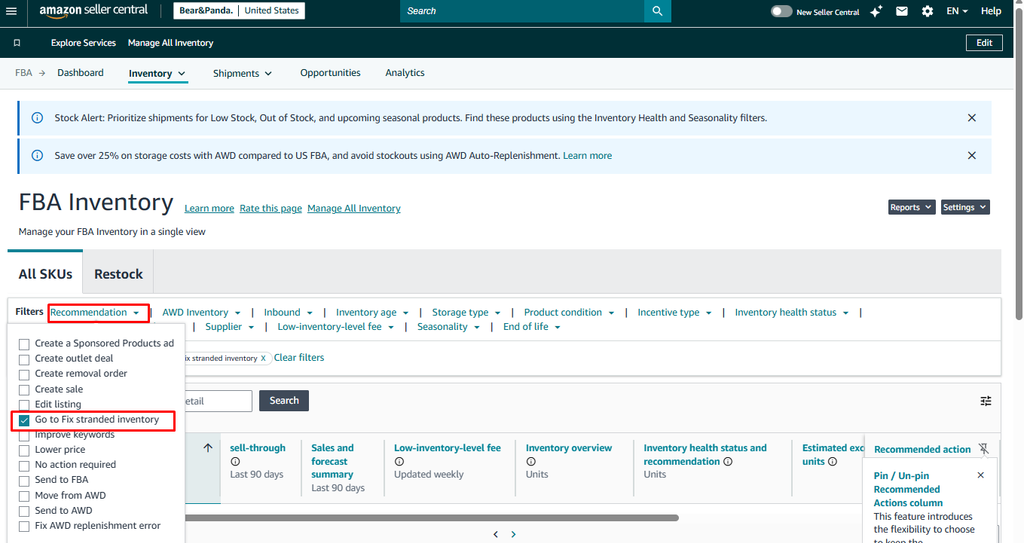
To find and fix it, go to Inventory > Manage FBA Inventory and filter by Fix Stranded Inventory. Amazon shows the stranded SKUs with a reason and a quick-action option where available.
- If the cause is a missing attribute or simple content issue, fix the listing and the inventory reconnects automatically.
- If the cause is a deleted or permanently suppressed ASIN, create a new listing to reattach the inventory.
- If the inventory cannot be relisted and is accumulating aged inventory surcharges, create a removal order. In 2026, Amazon reduced removal fees for lightweight standard-size items to roughly $0.84 to $3.00 per unit, which is often cheaper than the storage fees that continue accumulating on unsellable inventory.
When the Standard Fix Does Not Work
If the suppression reason in Seller Central is vague, if the listing remains suppressed 48 hours after you made the correct fix, or if the Fix Your Products page offers no edit option, escalate to Seller Support directly.
- Go to Help > Contact Us in Seller Central.
- Click My issue is not listed rather than selecting a predefined help category. This prevents the system from routing you to an automated bot response.
- Describe the suppression clearly: the ASIN, the reason code Amazon is showing, what you have already tried, and what result you got. Be specific so a support agent can act on it without follow-up questions.
- If a case closes without resolution, open a new case rather than repeatedly reopening the same thread.
| The automated Seller Support categories almost always route you back to the same Fix Your Products page you already checked.Using My issue is not listed forces a manual review by an actual support agent. |
How Suppression Affects Ranking After It Is Fixed
Fixing a suppression does not immediately restore your previous ranking. Amazon’s algorithm weights recent sales velocity, and a suppressed listing generates zero sessions and zero sales during the outage. Once the listing is restored, it may rank lower than it did before the suppression, sometimes significantly lower, and recovering that position can take several weeks of consistent sales velocity.
The longer a suppression lasts, the greater the ranking impact after recovery. A four-hour suppression causes minimal lasting damage. A four-day suppression can set a listing’s ranking back by weeks. This is why quick detection matters as much as knowing how to fix it.
How to Prevent Suppression Going Forward
- Check the Suppressed tab in Manage All Inventory at least once per week, not just when you notice a sales drop.
- After any bulk listing update (images, attributes, descriptions), do a suppression check within 24 hours rather than assuming the update went through cleanly.
- When Amazon updates category requirements, review your existing listings in that category proactively rather than waiting for a suppression flag.
- Keep main images in your own library at full resolution with a documented white background so you can upload a replacement quickly if an image suppression occurs.
- Avoid making multiple listing changes close together. If suppression follows a series of updates, the harder it is to identify which change caused it.
Suppressed listings are almost never hard to fix. The damage comes from not knowing quickly enough, and from editing the wrong things once you do know. Find the suppression reason first, fix exactly what Amazon has flagged, and wait for propagation before changing anything else. A consistent weekly check of the Suppressed tab is the single most effective prevention habit you can build.