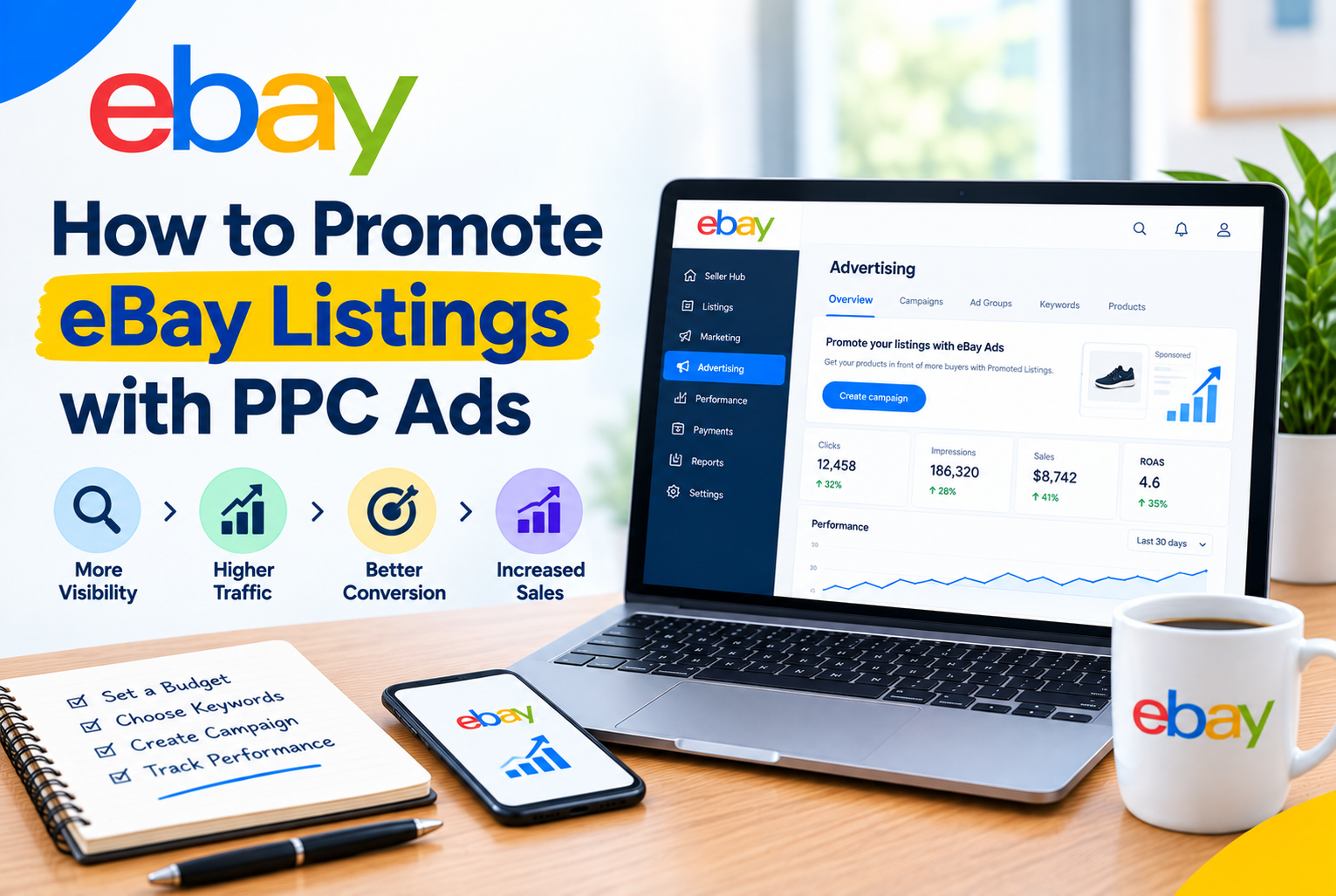
Organic search visibility on eBay is driven by Cassini, and building it takes time. New listings have no sales history, which puts them at a ranking disadvantage against established competitors. Promoted Listings give you a way to appear in front of buyers immediately, without waiting months for organic rank to build.
eBay’s advertising ecosystem has changed significantly in 2026. There are now two distinct campaign strategies with different cost models, different placement types, and different use cases. This guide covers both, how to set them up, how to set ad rates, and how to measure whether your spend is actually working.
Table of Contents
- How eBay Promoted Listings Work
- General vs Priority: The Two Campaign Strategies
- The 2026 Attribution Model Change
- How to Set Up a General Campaign
- How to Set Up a Priority Campaign
- How to Set Your Ad Rate
- How to Measure Campaign Performance
- When to Use Each Strategy
- Common Mistakes to Avoid
How eBay Promoted Listings Work
Promoted Listings place your products in sponsored positions across eBay, including in search results, on product detail pages, and in category browse pages. When a buyer clicks your promoted listing and makes a purchase within the attribution window, eBay charges you an advertising fee on top of the standard final value fee.
No upfront payment is required to start. You only pay when a sale happens through your ad (for General campaigns) or when someone clicks your ad (for Priority campaigns). There is no minimum spend and you can pause or end a campaign at any time.
| Promoted Listings do not replace good listing quality. A promoted listing with a poor title, weak images, or uncompetitive pricing will get impressions but not clicks.Fix your listing first, then promote it. |
General vs Priority: The Two Campaign Strategies
As of 2026, eBay has simplified its advertising product names. What was previously called Promoted Listings Standard is now the General campaign strategy. What was Promoted Listings Advanced is now the Priority campaign strategy.
General Campaign (Cost Per Sale)
You set an ad rate as a percentage of the total sale amount. You only pay when a buyer clicks your promoted ad and purchases the item within 30 days. If the item does not sell, you pay nothing.
- Ad rate range: 2% to 100% of the total sale amount (item price plus shipping)
- Payment trigger: Sale only, not click
- Placement: General access to sponsored slots across search results, product pages, and browse pages
- Controls: Simple. Choose listings, set rate, launch.
- Best for: Most sellers, most products, lower risk advertising
Priority Campaign (Cost Per Click)
You set keyword bids and a daily budget. You pay for every click on your ad regardless of whether the buyer purchases. Priority campaigns get exclusive access to the top ad slot in search results, a position that General campaigns cannot access as of January 2026.
- Cost per click: Typically $0.10 to $2.00+ depending on keyword competition
- Minimum daily budget: $1 per day
- Payment trigger: Click, not sale
- Placement: Priority access to premium positions including top-of-search
- Controls: Advanced. Keyword targeting (manual or smart), negative keywords, dynamic or fixed bids.
- Best for: Competitive categories, experienced advertisers, sellers who want granular control
| If you are new to eBay advertising, start with General campaigns.Priority campaigns charge per click, which means you can spend money without making a sale if your listing does not convert well. |
The 2026 Attribution Model Change
Starting January 13, 2026, eBay changed how it attributes sales to Promoted Listings. This is one of the most significant changes to the program in years and it affects how your ad fees are calculated.
Previously, eBay used a Direct and Halo attribution model where only the specific buyer who clicked your promoted ad would trigger an ad fee. Under the new any-click model, if any buyer purchases your promoted item within 30 days of any click on your promoted ad, the ad fee applies.
| In practice, this means your ad fee can now be triggered even if a different buyer than the one who clicked makes the purchase.Monitor your advertising costs closely after setting up campaigns. Your actual fees may be higher than you expect based on how the old model worked. |
How to Set Up a General Campaign
- Go to Seller Hub > Marketing > Promoted Listings.
- Click Create new campaign and select the General campaign strategy.
- Choose your campaign type: Simple (you select listings manually) or Automated (you set rules and eBay automatically adds or removes listings that match, for example all listings in a specific category priced over a certain amount).
- Add your listings. You can select individually or in bulk. For a Simple campaign, browse your active listings and check the ones you want to promote.
- Set your ad rate. Enter a percentage between 2% and 100%. eBay will display a suggested rate for each listing based on your category and competition. More on how to choose this rate in the next section.
- Name your campaign and set a start date. You can also set an end date or leave it running indefinitely.
- Click Launch. Your ads typically go live within a few hours.
How to Set Up a Priority Campaign
- Go to Seller Hub > Marketing > Promoted Listings.
- Click Create new campaign and select the Priority campaign strategy.
- Choose your targeting method: Manual (you select specific keywords and set individual bids) or Smart targeting (eBay automatically targets relevant keywords based on your listing content).
- Add your listings and assign them to the campaign.
- Set your keyword bids for manual targeting. eBay shows a suggested bid range for each keyword. Start at the lower end of the suggested range and adjust based on performance.
- Set a daily budget. This is the maximum amount you are willing to spend per day across all clicks in the campaign. Start conservatively, $5 to $10 per day, and increase as you gather data.
- Add negative keywords to prevent your ads from appearing for irrelevant searches. For example, if you sell new items, add Used as a negative keyword.
- Name your campaign and launch.
| For Priority campaigns, spend the first two weeks gathering data before making major adjustments.It takes time for eBay’s system to optimize placement based on your bids and click-through rate. |
How to Set Your Ad Rate
For General campaigns, choosing the right ad rate is the most important decision you make. Set it too low and your listings get minimal promoted placement. Set it too high and you erode your margin on every sale.
eBay’s suggested rate
eBay calculates a suggested ad rate for each listing based on category competition, item attributes, seasonality, and past performance data. The suggested rate is a reasonable starting point, especially for new campaigns. You can use the Dynamic rate option which automatically adjusts your rate daily to stay aligned with eBay’s suggestion.
Setting your own rate
If you want manual control, start at eBay’s suggested rate and adjust from there based on results. Before setting any rate, calculate your maximum tolerable ad cost:
| Maximum ad rate = (Sale price minus product cost minus eBay fees minus shipping cost) / Sale price x 100If this number is 18%, any ad rate below 18% keeps you profitable. Any rate above it means you lose money on promoted sales. |
Ad rates typically vary by category. High-competition categories like electronics and fashion often require higher rates to get meaningful placement. Lower-competition or niche categories can perform well at rates closer to the suggested minimum.
How to Measure Campaign Performance
eBay provides a campaign dashboard inside Seller Hub under Marketing > Promoted Listings. Check it at least weekly for active campaigns. Key metrics to track:
- Impressions: How many times your promoted listing was displayed. Low impressions with a high ad rate usually means your listing quality or relevance needs improvement.
- Clicks: How many buyers clicked your promoted listing. A low click-through rate (clicks divided by impressions) suggests your main image or title is not compelling enough in search results.
- Sales: Units sold that are attributed to your promoted listing within the attribution window.
- Ad fees: Total amount charged for promoted sales during the period.
- Sales conversion rate: Sales divided by clicks. A low conversion rate means buyers are clicking but not buying, which points to issues with pricing, images, or listing content.
Calculate your return on ad spend (ROAS) regularly:
| ROAS = Promoted sales revenue / Total ad feesA ROAS of 10 means you made $10 in revenue for every $1 spent on ads. What counts as a good ROAS depends on your margins. |
When to Use Each Strategy
Use General campaigns when
- You are new to eBay advertising and want a low-risk starting point
- Your listings are well-optimized but lack sales history and need initial visibility
- You have consistent margins and want predictable advertising costs tied to sales
- You are running promotions across a large portion of your catalog
Use Priority campaigns when
- You are in a highly competitive category where top-of-search placement makes a significant difference
- You want to target specific search terms and exclude irrelevant ones
- You are launching a new product and want maximum immediate visibility
- You have data from General campaigns and want to test more aggressive strategies on top performers
| Many experienced eBay sellers run both simultaneously.General campaigns for broad catalog visibility, Priority campaigns for top-performing or newly launched products. |
Common Mistakes to Avoid
- Promoting listings before optimizing them. Promoted Listings increase visibility, not conversion. A poorly written listing with bad photos will get more impressions and still not sell. Fix the listing first.
- Setting the same ad rate for every listing. High-margin products can sustain higher ad rates. Low-margin products need lower rates or should not be promoted at all. Calculate your maximum tolerable rate per listing.
- Not monitoring Priority campaign spend. Cost-per-click means you can accumulate charges quickly without sales if your conversion rate is low. Check Priority campaign spend daily for the first two weeks.
- Ignoring the attribution model change. The new any-click model (January 2026) can result in higher ad fees than expected. Review your actual charges against your projected costs regularly.
- Setting and forgetting campaigns. Competitive ad rates, category dynamics, and seasonal demand all change over time. Review and adjust campaigns monthly at minimum.
- Promoting everything in your catalog. Focus your ad budget on listings with strong margins, good listing quality scores, and products that buyers are actively searching for.
eBay Promoted Listings are one of the most accessible paid advertising tools available to ecommerce sellers. No upfront investment, no minimum spend, and clear attribution between ad spend and sales. The key is starting with well-optimized listings, understanding the difference between General and Priority campaigns, and monitoring your results closely enough to adjust before costs get out of hand.