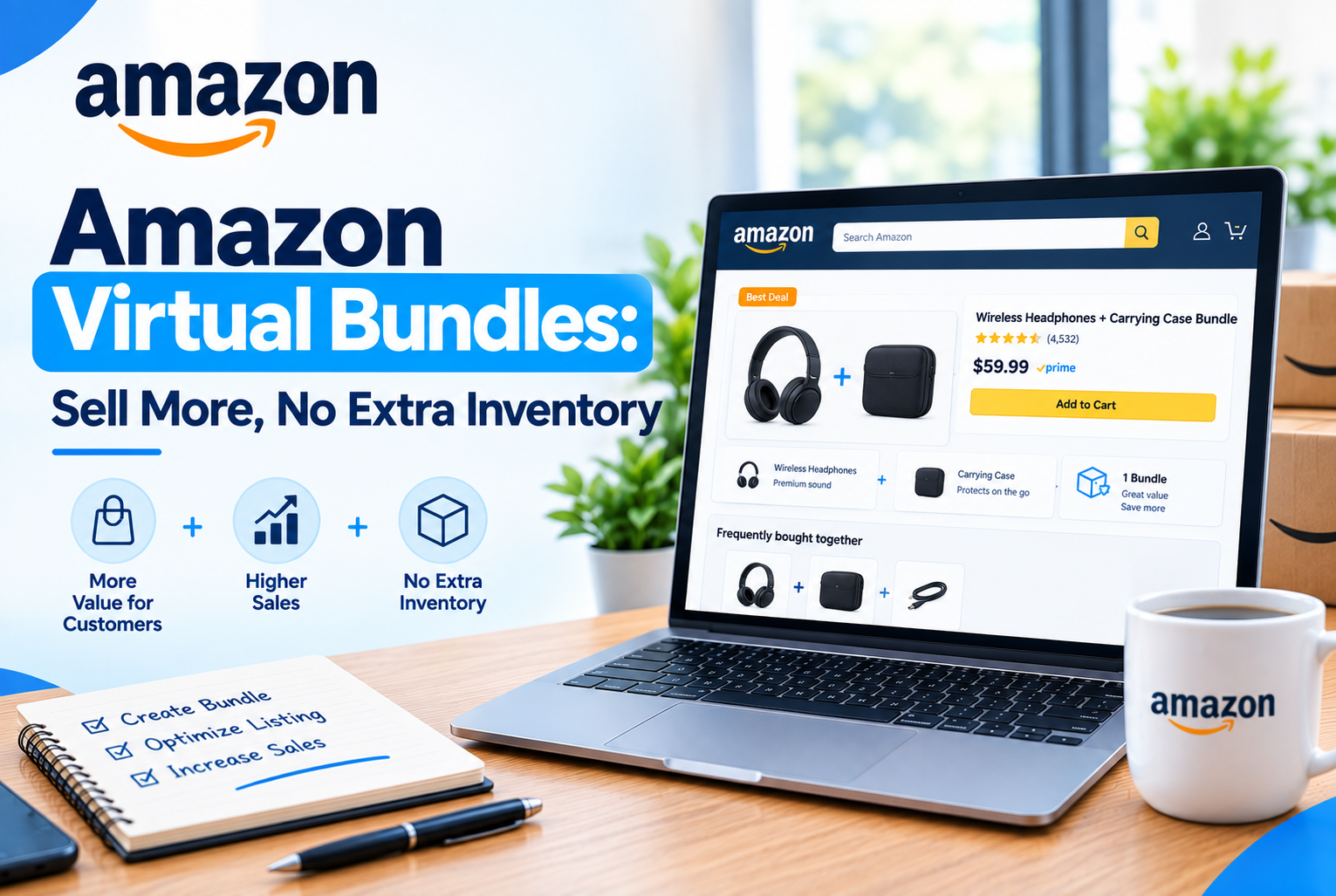
A shopper buying a coffee maker often also needs filters and a bag of beans. On Amazon, those are usually three separate searches, three separate decisions, and three separate chances for the shopper to get distracted and never come back. Virtual Bundles solve this by letting brand-registered sellers combine those three products into a single, purchasable listing, without changing how any of them are actually stored or shipped.
This guide covers exactly what Virtual Bundles are, who qualifies, how the feature works behind the scenes, the step-by-step setup process, and the pricing and category rules that catch sellers off guard if they are not aware of them going in.
Table of Contents
- What Are Amazon Virtual Bundles?
- Eligibility Requirements
- Rules That Catch Sellers Off Guard
- How Virtual Bundles Work Behind the Scenes
- Step-by-Step: How to Create a Virtual Bundle
- Pricing Strategy
- Why Bundles Matter More in 2026
- Common Mistakes to Avoid
- Quick FAQ
What Are Amazon Virtual Bundles?
A Virtual Bundle combines two to five of your existing FBA products into a single new listing with its own ASIN, without physically packing the items together. The bundle gets its own detail page, title, images, and price, but each component continues to be stored and shipped exactly as it already is. When a customer buys the bundle, Amazon picks and ships each item separately from existing stock, while the customer experiences it as a single purchase.
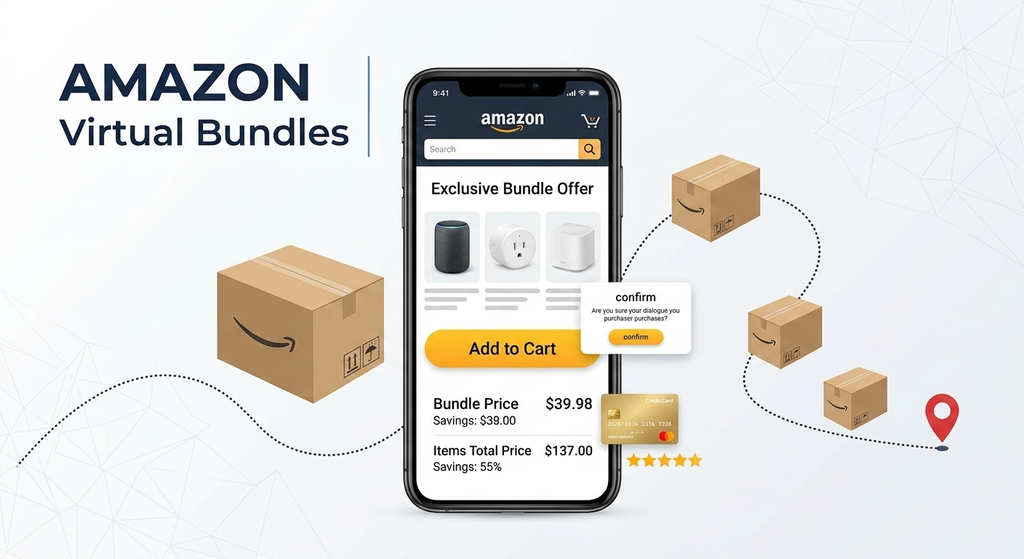
Why this matters: traditional bundling requires pre-packing items together, creating a new UPC, and shipping a new physical unit into FBA. Virtual Bundles skip all of that. You are reusing inventory you already have, which means no new prep work, no extra storage fees for a packed unit, and the flexibility to test different product combinations without committing to new physical stock.
Eligibility Requirements
Not every seller or every product qualifies. Confirm these before attempting to build a bundle:
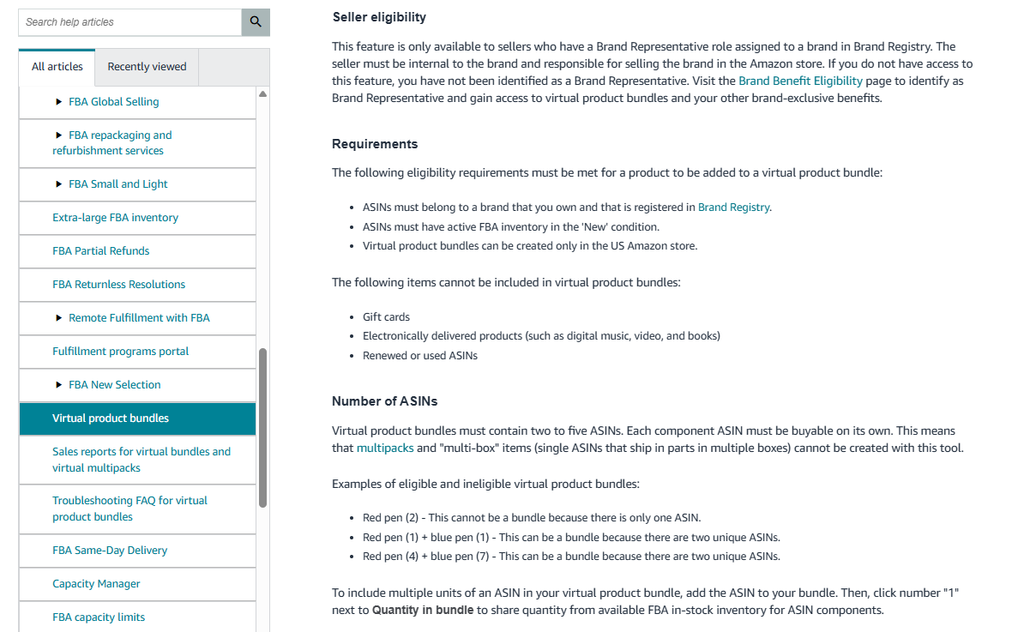
- Brand Registry enrollment is mandatory. Only sellers enrolled in Amazon Brand Registry can access the Virtual Bundles tool, and every bundled product must belong to the same brand in your registered catalog.
- All components must be FBA, in new condition. Seller-fulfilled or used items cannot be included.
- 2 to 5 ASINs per bundle. Each component must already be its own standalone, purchasable listing, not a multipack or existing kit.
- US marketplace only. Virtual Bundles are currently limited to Amazon’s US store. Selling internationally requires creating a separate bundle for each marketplace where the feature is supported.
- Excluded product types. Gift cards, digital products (e-books, music, videos), and renewed or used ASINs cannot be included in a bundle.
- Single category only. A bundle can only be listed under one category. If components span multiple categories, the bundle must be listed under the category of its highest-priced item.
Rules That Catch Sellers Off Guard
A few requirements are easy to miss and commonly cause bundle creation to fail or perform poorly.
- Pricing ceiling: the bundle’s total price must be equal to or less than the sum of the individual item prices. If you price the bundle higher than buying the items separately, even slightly, the bundle loses Buy Box eligibility entirely.
- Performance prerequisites that help in practice, even if not strictly required: bundles built from components with at least 30 days of inventory on hand and consistent daily sessions tend to launch and perform far more reliably than bundles built from slow-moving or newly listed products.
- No editing after launch. Amazon treats changing a bundle’s product composition after it goes live as a policy violation, which can trigger a manual review and suppress the listing for weeks. If you need to change which products are included, create a new bundle rather than editing the existing one.
- Inventory dependency. If any single component drops out of stock, Amazon automatically suppresses the entire bundle until that component is restocked, even if every other component is fully available.
How Virtual Bundles Work Behind the Scenes
- You select a primary ASIN, which acts as the anchor product. Its title, main image, and existing search ranking heavily influence where the bundle shows up.
- You add up to four complementary ASINs that genuinely pair with the primary product, not just items in the same general category.
- Amazon generates a new, separate product detail page representing the bundle as a whole.
- Each component keeps its own independent inventory count. Selling a bundle does not create or consume a separate bundle-specific stock count, it simply checks that every component currently has stock available.
- When a customer orders the bundle, Amazon fulfills each item from its existing storage location, shipping them to the customer as part of one order, even though they may physically come from different shelves or even different fulfillment centers.
Step-by-Step: How to Create a Virtual Bundle
- Confirm your brand is active in Amazon Brand Registry and that the products you want to bundle are live, in stock, and FBA-fulfilled.
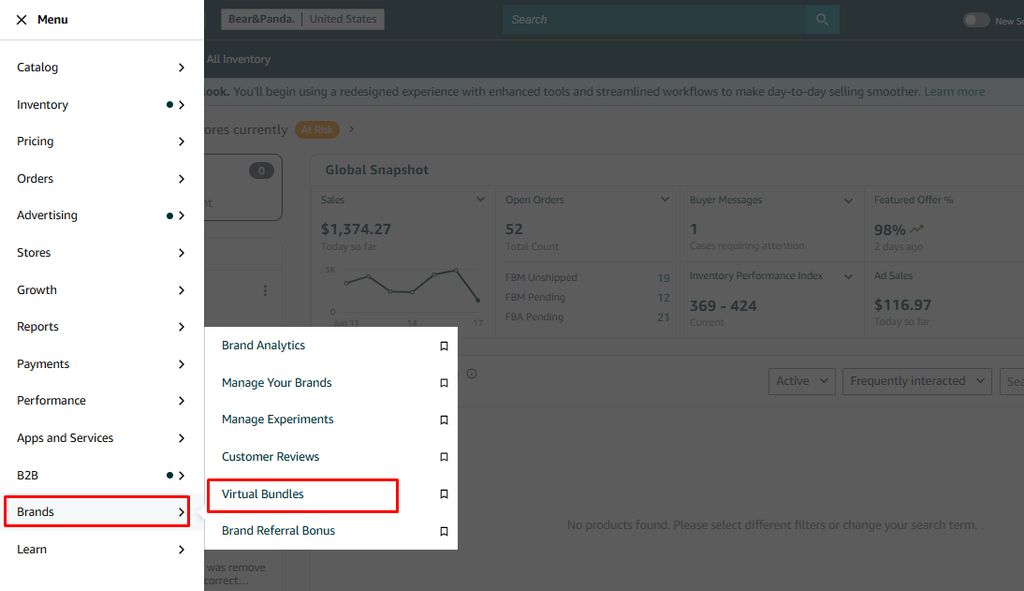
- In Seller Central, go to the Brands menu and select Virtual Bundles.
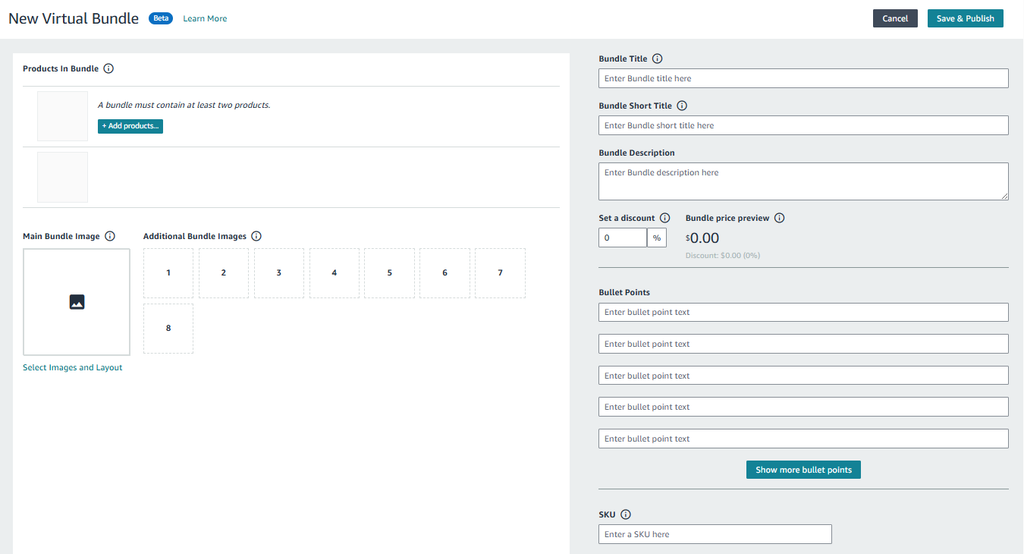
- Select your primary ASIN, the product that will anchor the bundle and carry over the most search visibility.
- Add 2 to 4 complementary ASINs that make sense alongside the primary product.
- Write a bundle title that clearly indicates what the set includes, write a description that explains the value of buying the set together, and upload images showing all included items together in a cohesive layout.
- Set your bundle price, keeping it at or below the combined price of the individual items.
- Submit the bundle. Most virtual bundles go live within 24 hours once submitted.
- Monitor performance after launch: conversion rate, average order value, and whether any component is at risk of running low on stock.
Pricing Strategy
Getting the price right is the difference between a bundle that converts and one that quietly underperforms.
- Price strictly at or below the sum of individual item prices. Going even slightly over removes Buy Box eligibility for the bundle entirely, regardless of how good the rest of the listing is.
- A visible discount tends to perform best. Customers comparing a bundle against buying items separately want to see the math clearly work in their favor.
- Some sellers find success with a smaller or no discount paired with strong perceived value instead, where the convenience and curation of the set itself drives the purchase decision rather than the price difference.
- Recalculate your margin after FBA referral and fulfillment fees on every component. It is easy to focus on the bundle’s appeal and overlook whether it remains genuinely profitable once all per-item fees are accounted for.
Why Bundles Matter More in 2026
Advertising costs on Amazon have continued climbing, squeezing margins for small and mid-sized sellers who depend heavily on paid traffic to drive sales. Virtual Bundles offer a way to grow average order value and conversion rate without paying for additional clicks, since the bundle is built entirely from inventory and visibility you already have.
Shoppers also increasingly favor curated solution purchases over individual items, things like a complete skincare routine or a home office starter kit, where the bundle solves an entire need in one purchase rather than leaving the customer to find the remaining pieces elsewhere. Sellers using bundles commonly report a meaningful lift in average order value as a result, often somewhere in the 10 to 25% range, alongside improved conversion since bundled listings are perceived as a better overall deal.
Common Mistakes to Avoid
- Bundling unrelated products. A bundle should solve one specific, clearly defined need. Grouping items together simply because they belong to the same brand, without a real reason to buy them together, tends to convert poorly.
- Skipping bundle-specific keyword research. A bundle listing needs its own optimized title and bullet points. Treating the bundle title as an afterthought makes it invisible in search even if the individual components rank well on their own.
- Editing a live bundle’s composition. This risks triggering a manual review and listing suppression. Build a new bundle instead of modifying an existing one.
- Ignoring component stock levels. Since the entire bundle goes down the moment one component runs out, monitor stock across every component regularly, not just the primary ASIN.
- Overlooking true margin after fees. Calculate profitability using actual per-unit FBA fees for every component, not just the headline bundle price versus cost of goods.
Quick FAQ
Can I include items from different brands in one bundle? No. Every component must belong to the same brand under your Brand Registry.
What happens if one component goes out of stock? The entire bundle becomes unavailable until that specific component is restocked.
Can I sell Virtual Bundles outside the US? Not currently. The feature is limited to Amazon’s US marketplace.
Can I change which products are in a bundle after it launches? Not without risking a policy review and suppression. Create a new bundle instead.
Do gift cards or digital products qualify? No. Gift cards, digital products, and renewed or used items are excluded from bundling entirely.
Virtual Bundles are one of the more cost-effective ways to grow revenue on Amazon without increasing ad spend, but only when the components genuinely belong together, the pricing math respects the ceiling Amazon enforces, and stock is monitored closely enough that the bundle stays live. Treat each bundle as its own listing worth optimizing properly, not a quick add-on to products that are already selling well individually.
Have questions about which of your products would make a strong bundle, or an eligibility issue you’re running into? Leave a comment below.