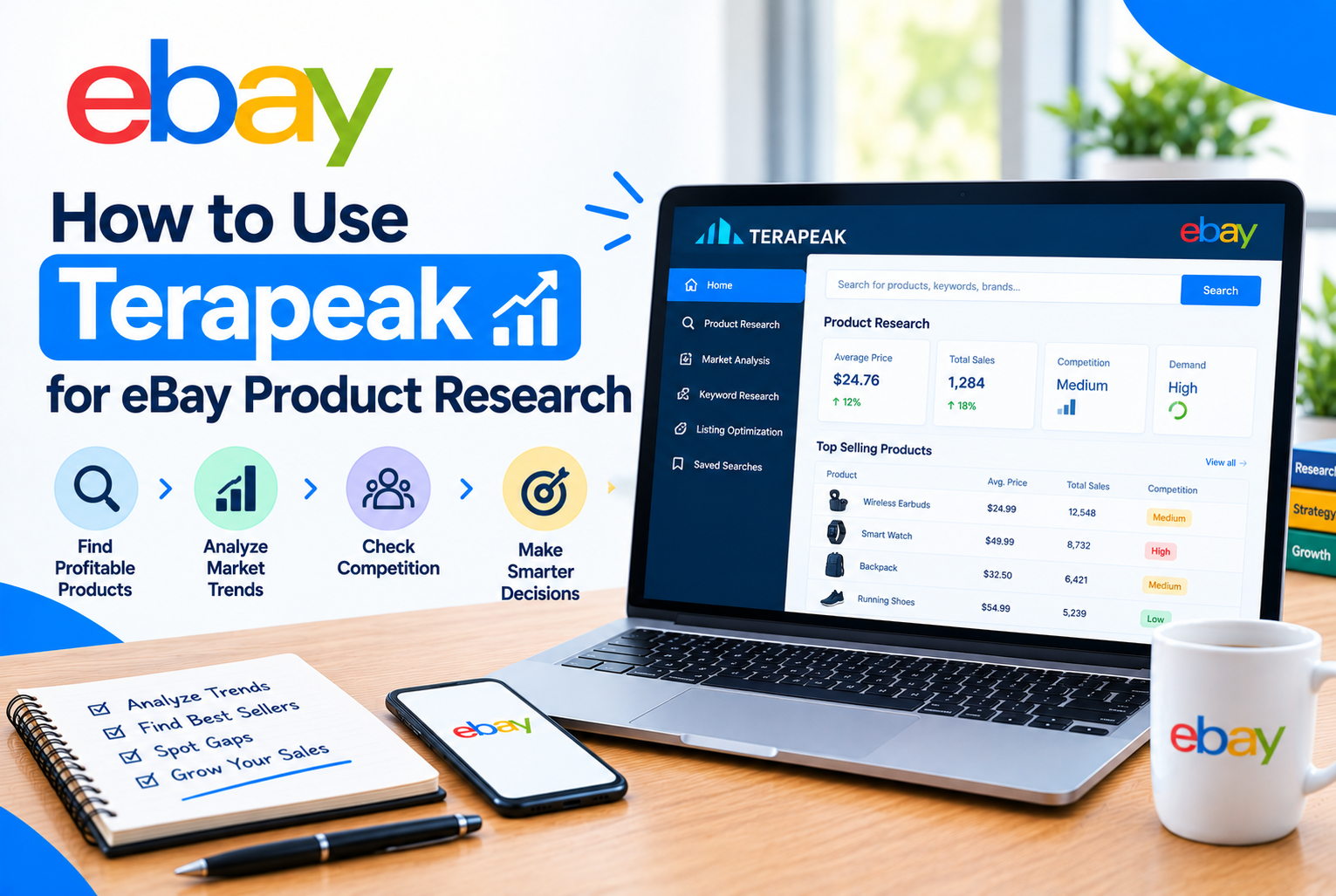
Most failed eBay listings share one root cause: the seller sourced or priced a product based on a guess rather than actual data. Terapeak removes that guesswork. It is eBay’s own market research tool, built directly into Seller Hub, and it shows real sold prices, demand trends, and competition levels using up to three years of actual eBay transaction history, not estimates or third-party scraped data.
This guide covers how Terapeak actually works, the naming change that confuses a lot of sellers, the difference between its two tools, and a practical walkthrough of using it to validate a product before you commit money to sourcing it.

Table of Contents
- Terapeak’s Name Change: What to Know
- Product Research vs Sourcing Insights
- How to Access Terapeak
- Step-by-Step: Researching a Product
- The Metrics That Actually Matter
- Using Sourcing Insights for Category-Level Decisions
- Practical Ways to Use Terapeak Beyond Pricing
- Common Mistakes to Avoid
Terapeak’s Name Change: What to Know
If you are looking for “Terapeak” inside eBay and cannot find a tab with that exact name, you are not missing anything. eBay rebranded the tool, and it now appears inside Seller Hub as Product Research, with its companion tool renamed Sourcing Insights. The underlying functionality, and the data behind it, is the same tool sellers have used for years. Most sellers, and most search queries, still call it Terapeak out of habit, so do not be thrown off if a guide, a forum post, or even eBay’s own help pages use the two names interchangeably.

Product Research vs Sourcing Insights
These are two distinct tools serving different purposes, and knowing which one to use saves time.
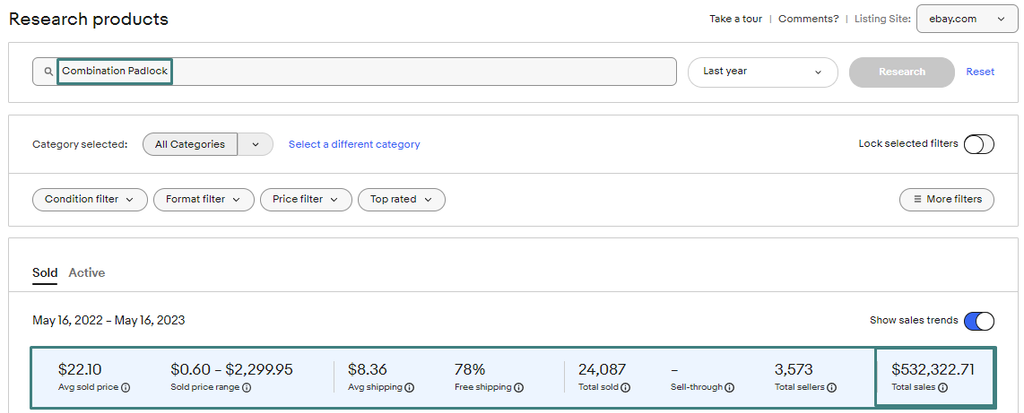
Product Research is for looking up a specific product or keyword. It is completely free for every seller with a Seller Hub account, no store subscription required. It gives you up to three years of historical sold-item data: prices, sell-through rate, number of sellers, and listing format performance for that specific search.
Sourcing Insights is for analyzing entire categories rather than individual products, answering questions like “is this whole category trending up or down right now.” It requires a Basic Store subscription or higher (roughly $21.95 per month in the US), since it is a more advanced, category-wide view rather than a single-item lookup.
For most sellers, Product Research alone covers the vast majority of day-to-day sourcing and pricing decisions. Sourcing Insights becomes worth paying for once you are actively trying to identify new categories to expand into, rather than just pricing or validating products you already have in mind.
How to Access Terapeak
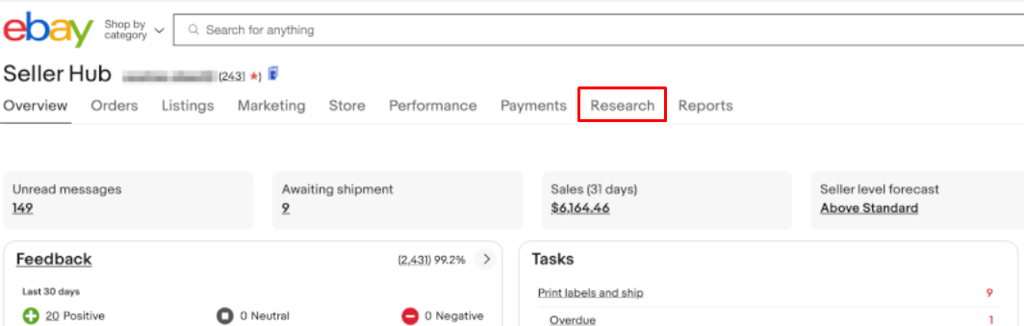
Log in to your eBay account, go to Seller Hub, click the Research tab in the top navigation, then select Product Research from the sidebar.
Step-by-Step: Researching a Product
- Open Product Research and enter a specific search term, product ID, or item identifier rather than a broad category name. Searching “portable dog water bottle” returns far more usable data than searching “pet accessories,” since the broader term mixes too many unrelated products together.
- Apply filters to narrow the results further: category, item condition, brand, color, or buyer and seller location, depending on what is relevant to your specific product.
- Review the Sold Items tab first. This shows actual completed sales, not just current asking prices, which is the entire point of using Terapeak over eBay’s standard search.
- Check the trend line in the sales chart. A clear upward trend suggests growing demand. A flat or declining trend suggests the product may already be past its peak.
- Compare the number of active listings against the number of sold items. A high sold count relative to active listings suggests healthy demand with room to compete. A high number of active listings with a low sold count suggests an oversaturated market.
- If the product looks promising, click through to view the top-performing sold listings directly. Study their titles, photos, and pricing to understand what is actually working for sellers already succeeding with that product.
The Metrics That Actually Matter
Terapeak surfaces a lot of numbers. These are the ones worth focusing on for a sourcing or pricing decision:
- Sold price range and average sold price: the actual range buyers paid, not the asking price. This is what should set your pricing expectations, not what competitors are currently listing for.
- Sell-through rate: the percentage of listings that actually sold. A high sell-through rate signals strong, reliable demand. A low rate signals that most listings for this product sit unsold.
- Number of sellers: reflects how saturated the market is. Fewer sellers relative to demand means more room to compete; many sellers chasing the same demand means tighter margins and harder visibility.
- Average shipping cost: useful for understanding what buyers expect to pay for shipping in this category, and whether offering free shipping is the norm you would need to match.
- Listing format breakdown: shows whether Buy It Now or auction format performs better for this specific product, which should inform how you list it yourself.
Using Sourcing Insights for Category-Level Decisions
If you have access to Sourcing Insights through a Store subscription, it is most useful for seasonal planning and category expansion rather than pricing a single item.
- Search or browse to a specific category, and Sourcing Insights shows search volume, year-over-year demand change, the number of competing sellers, and how much of that category’s sales are concentrated among the top sellers.
- Use the time filter to check how a seasonal category performed in the same period last year. For something like holiday décor, this tells you roughly when to have inventory in place before demand peaks, rather than guessing based on instinct.
- Categories marked “Great Opportunity” indicate high search volume relative to the number of active listings currently available, which is eBay’s own signal that demand is outpacing current supply in that space.
Practical Ways to Use Terapeak Beyond Pricing
Validate before you buy inventory. Before committing money to a product, whether from a wholesaler, liquidation lot, or your own manufacturing, search it in Product Research first. If the sold data shows weak demand or an oversaturated market, you have just avoided a costly sourcing mistake.
Build better titles from what already works. Search your product, sort by highest sold price, and look closely at the titles of the top three or four sold listings. Note any specific keywords, model numbers, or descriptive terms that repeat across them. These are the terms eBay’s own buyers are actually searching for, which is more reliable than guessing keywords yourself.
Time seasonal inventory correctly. For any product with a seasonal pattern, use the historical data to check exactly when sales started climbing last year, and have inventory in place ahead of that point rather than reacting once demand has already spiked.
Benchmark your shipping strategy. If most sold listings for a product offer free shipping, a listing that charges separately for shipping is competing at a disadvantage before a buyer even compares the total price.
Common Mistakes to Avoid
- Searching too broadly. A vague category search dilutes the data with unrelated products. Always start with the most specific search term possible, then widen only if results are too thin.
- Looking only at active listing prices instead of sold prices. Asking prices reflect what sellers hope to get, not what buyers actually pay. Always check the Sold Items data before setting a price.
- Ignoring the active-to-sold ratio. A product with strong sold numbers but an even higher number of active listings is more competitive than it first appears.
- Assuming Sourcing Insights is necessary for every seller. Most day-to-day sourcing and pricing decisions are fully covered by the free Product Research tool. Only invest in a Store subscription for Sourcing Insights once you are actively scouting new categories on an ongoing basis.
- Using too many keywords in a single search. Searching with five or six combined keywords can return zero results, since Terapeak looks for listings containing all of them together. Start narrow with two or three core terms and adjust from there.
Terapeak’s biggest value is simple: it replaces guessing with actual historical proof of what buyers paid and how often a product actually sold. Make it part of your routine before sourcing new inventory and before setting a price on anything new, and you will consistently make better decisions than competitors still pricing off intuition or a glance at current asking prices.