Selling well on Amazon and owning a brand are not the same thing. Amazon controls the customer relationship, the page layout, and most of the data, which means a seller doing six figures a month on Amazon can still have zero direct way to reach the people buying from them. A Shopify store fixes exactly that gap, not by replacing Amazon, but by giving sellers a second front: one where the brand, the customer data, and the profit margin all actually belong to them.
This guide covers why pairing Shopify with an existing Amazon business matters in 2026, how to set up the store efficiently using Amazon’s own fulfillment network, and how to grow it without duplicating the operational work you are already doing on Amazon.
Table of Contents
- Why Amazon Sellers Need a Shopify Store
- Shopify Setup: The Essentials
- Using FBA’s Multi-Channel Fulfillment for Shopify Orders
- Bringing Your Products Over from Amazon
- Marketing the Store Without Starting from Zero
- Scaling Without Doubling Your Workload
- A Realistic Look at the Costs
Why Amazon Sellers Need a Shopify Store
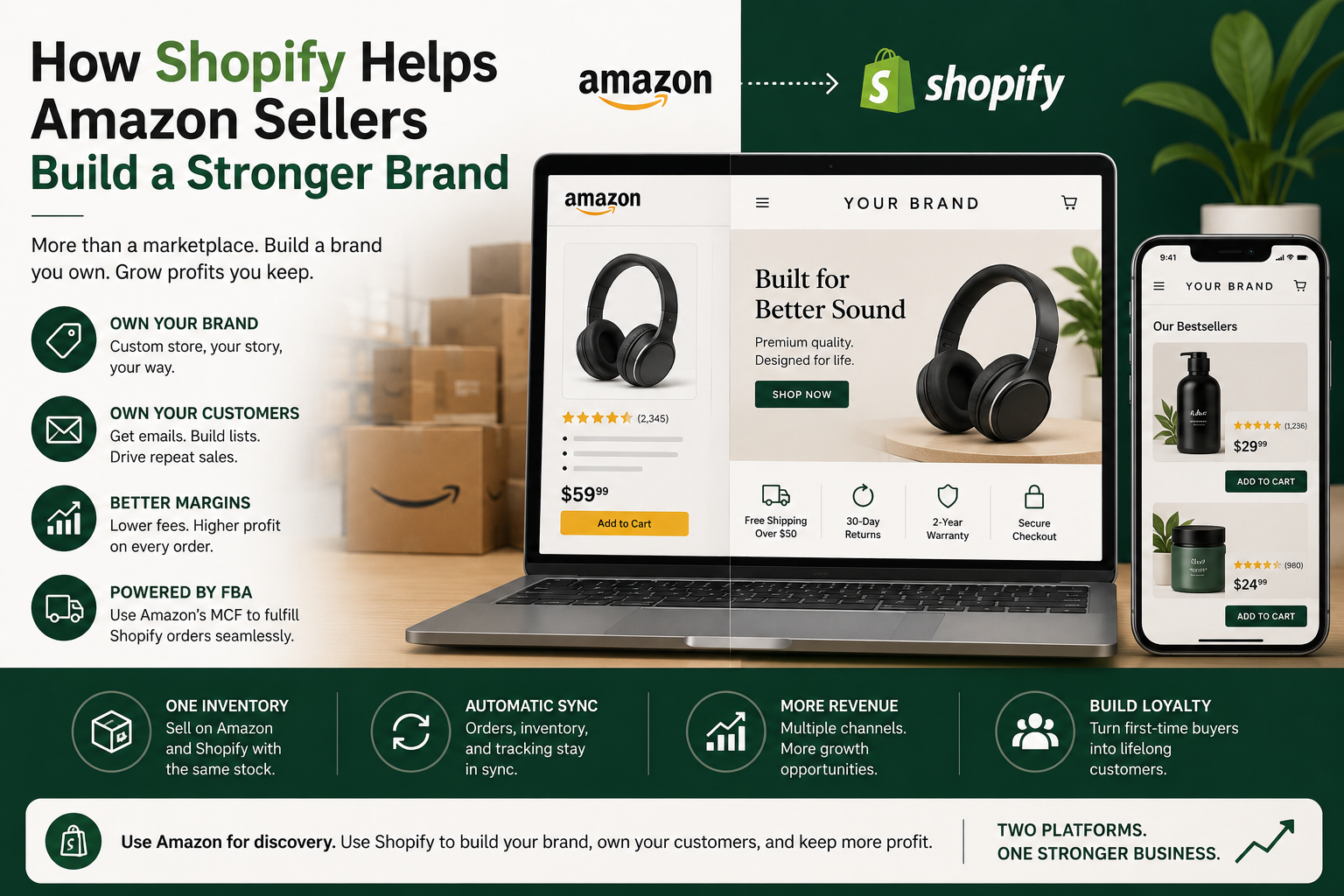
Brand identity you actually control. On Amazon, every seller’s page follows the same template. There is no way to differentiate visually, no way to tell a brand story beyond a few paragraphs in the About Seller section, and no way to control how a customer experiences the page beyond your product content. A Shopify store removes all of those constraints. You choose the layout, the photography style, the page structure, and the voice. A well-built Shopify store also signals legitimacy in a way an Amazon listing cannot, since customers can see it is a real, standalone business rather than just one seller among many on a marketplace.
Direct access to customer data. Amazon owns the customer relationship on every Amazon order. You do not get the buyer’s email address, you cannot retarget them later, and you cannot build a list to market to directly. On Shopify, every sale gives you a customer record you can build on: email marketing, loyalty programs, personalized offers, anything that depends on actually knowing who bought from you.
Better margins on the same products. Amazon’s referral fees, FBA fulfillment fees, and advertising costs combine to take a significant cut of every sale. Selling the same product through your own Shopify store removes the referral fee entirely, and even after Shopify’s transaction fees, the margin on a direct sale is almost always meaningfully better than the same sale made through Amazon.

None of this requires abandoning Amazon. Most sellers running both successfully treat Amazon as a discovery and volume channel, and Shopify as the place where the brand itself lives and where the highest-margin, most loyal customers are cultivated.
Shopify Setup: The Essentials
Choose a plan. Shopify offers several plans for different business sizes. The Starter plan is designed for selling through social media and messaging apps, while the Basic plan is the best starting point for most Amazon sellers building their first standalone store. As your business grows, you can move to higher-tier plans for additional features, advanced reporting, and lower transaction fees. You can upgrade your plan at any time.

Choose a theme. Shopify offers hundreds of themes, many free, ranging from clean and minimal to bold and image-heavy. Your theme is the first visual impression a new customer has of your brand, so pick one that matches your product photography and overall brand tone rather than defaulting to whatever looks popular.
Once your theme is set, build out the core pages every store needs:
- Home page: lead with your strongest products or current offers
- About Us: tell the actual story of the brand, not a generic paragraph
- Contact page: make it simple for customers to reach you
- FAQ page: answer the questions you already know customers ask on Amazon about shipping, returns, or product details

Using FBA’s Multi-Channel Fulfillment for Shopify Orders
One of the biggest reasons Amazon sellers hesitate to start a second sales channel is the fear of having to manage a second fulfillment operation. Amazon’s Multi-Channel Fulfillment (MCF) removes that problem entirely.
With MCF, the same inventory you already have sitting in Amazon’s fulfillment centers for your Amazon listings can also fulfill orders placed on your Shopify store. When a Shopify order comes in, it gets picked, packed, and shipped from Amazon’s warehouse network exactly like an FBA order would be, just with your own branding on the packing slip rather than Amazon’s.

This means no separate inventory to manage, no new packing process to learn, and no need to find or pay for a second fulfillment provider. The same stock count, the same warehouse network, and largely the same reliability you already depend on for Amazon orders extends directly to your Shopify sales.
Bringing Your Products Over from Amazon
You already have a product catalog, descriptions, images, and bullet points built for your Amazon listings. Reuse that work rather than starting from scratch.
- Export your existing Amazon listing content (titles, descriptions, bullet points, images) and bring it into Shopify, either manually or using a third-party migration tool built for this exact transfer.
- Once the content is in Shopify, rewrite it for a direct-to-consumer audience rather than leaving it identical to your Amazon listing. Amazon’s listing format is built for search algorithms and strict character limits. Shopify gives you the freedom to write a fuller, more narrative product story, add more lifestyle imagery, and remove the keyword-stuffed phrasing that Amazon search rewards but that reads awkwardly on a standalone site.
- Use Shopify’s flexibility to add content Amazon does not support well, like detailed size guides, embedded video, or a more developed brand story tied into each product page.
Marketing the Store Without Starting from Zero
A new Shopify store does not have Amazon’s built-in search traffic, so marketing matters more here than it ever did on Amazon. The advantage is that you are not actually starting from zero.
- Use your existing reviews and reputation. If your product has strong reviews on Amazon, reference that credibility on your Shopify product pages and in your marketing. Customers researching your brand outside Amazon will often check both.
- Social media. Instagram, TikTok, and Facebook let you show the product in use, share customer content, and build an audience that exists independently of any single marketplace.
- Paid ads. Google and Meta ads let you target people actively searching for your product type or similar products, sending that traffic directly to your own store instead of an Amazon listing where a competitor’s product might sit right next to yours.
- Email marketing. This is the channel Amazon never gives you access to. Every Shopify customer is a contact you can email directly about new products, restocks, or promotions, building repeat purchases in a way that is structurally impossible on Amazon.
Scaling Without Doubling Your Workload
As the Shopify store grows, the goal is to scale revenue without scaling operational complexity at the same rate.
- Lean on MCF for fulfillment as order volume increases. Since fulfillment is already handled through Amazon’s network, growing Shopify order volume does not require hiring warehouse staff or finding a new 3PL.
- Invest in SEO early. A well-optimized Shopify store ranks in Google search over time, generating free organic traffic that compounds, unlike paid ads which stop the moment you stop paying.
- Expand your catalog deliberately. Add complementary products that make sense for direct-to-consumer customers specifically, even if some of those products would not perform as well in Amazon’s more search-driven environment.
- Consider international markets. Shopify supports built-in tools for selling and shipping to international customers as the brand grows, which can become a meaningful second growth lever beyond your home market.
A Realistic Look at the Costs
Running a Shopify store is not free, and it is worth budgeting for honestly rather than assuming the plan fee is the whole cost.
- Monthly plan fee: $25 to $329 depending on tier, billed annually for the lower rate
- Transaction fees: ranging from roughly 2.5% to 2.9% plus 30 cents per transaction with Shopify Payments, higher if you use a third-party payment gateway instead
- Apps: most growing stores end up paying for a handful of apps for email marketing, reviews, or upsells, which can add a meaningful amount per month depending on how many you run
- Theme and design: free themes work fine to start, but a custom or premium theme is a one-time cost worth considering once the brand is established
Even accounting for all of this, most Amazon sellers find that the margin improvement on direct sales, combined with the value of finally owning customer data and brand presentation, pays for the Shopify investment many times over within the first year.
Adding a Shopify store to an existing Amazon business is not about choosing one platform over the other. It is about using Amazon for what it does best, discovery and volume, while building the brand, the customer relationships, and the margins that Amazon structurally cannot give you anywhere else. The setup cost is real but modest, and Amazon’s own fulfillment network through MCF removes the biggest operational barrier that used to make a second channel feel like double the work.